
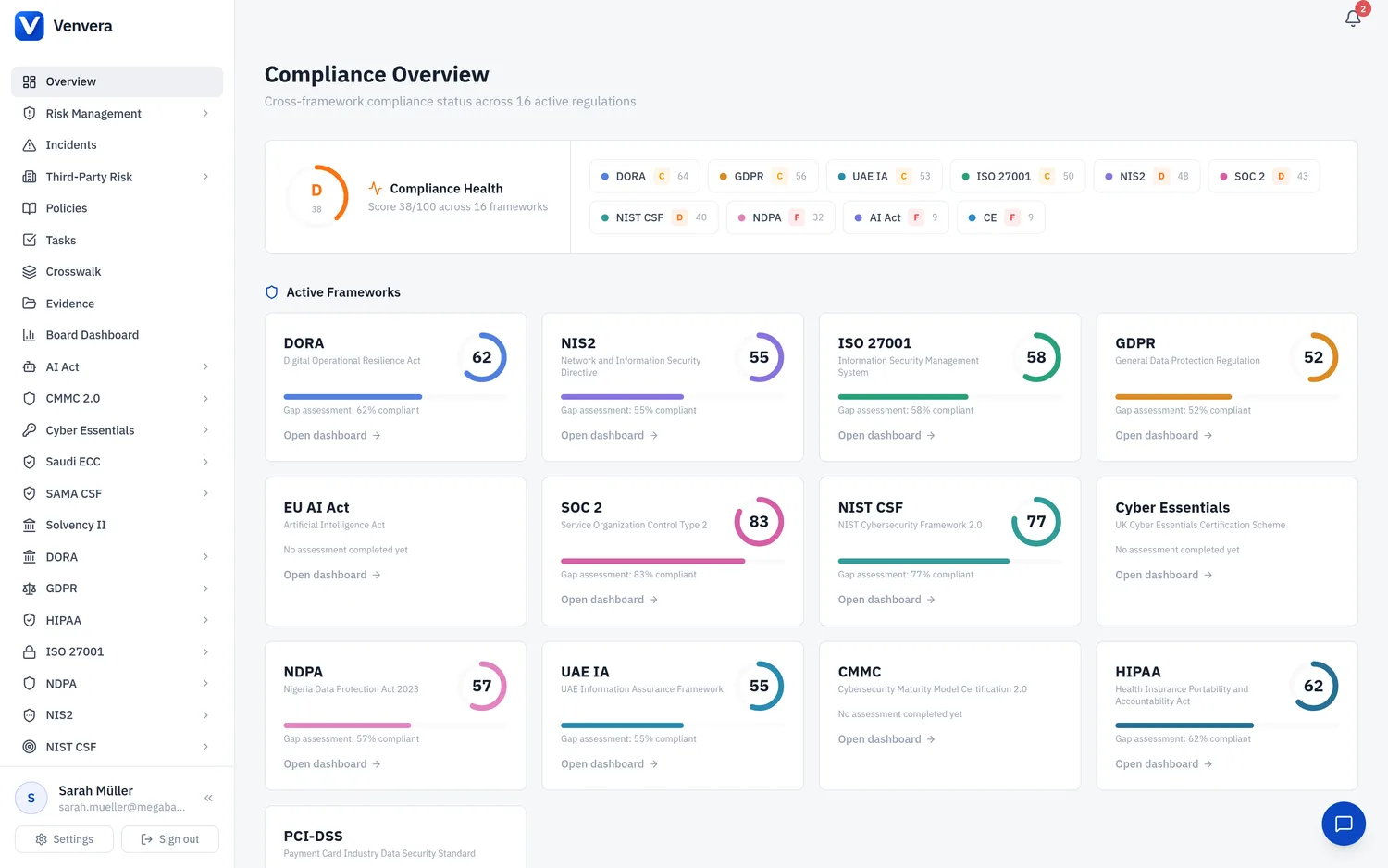
The Compliance Overview is your landing page after sign-in. It provides a bird's-eye view of your organisation's compliance posture across all enabled frameworks.
What you'll see
Compliance Health Banner
At the top of the dashboard, a Compliance Health banner summarises your overall posture as a single letter grade out of 100, computed across all enabled frameworks, with a coloured grade chip for each framework. Use it as the one-line headline of where your programme stands before drilling into individual frameworks below.
Active Frameworks
The ring shows the latest gap assessment score as a percentage. Each framework's ring uses that framework's own brand colour; the score inside the ring is the figure to read for compliance level. Click any framework card to jump directly into that framework's dashboard.
Cross-Framework Statistics
Four metric cards across the top providing a quick health check:
| Metric | What it shows |
|---|---|
| Open Incidents | Count of unresolved incidents across all frameworks, with major/serious incident count highlighted |
| Risk Exposure | Number of high and critical risks in your risk register |
| Policy Coverage | Percentage of policies in Approved status vs total |
| Third-Party Risk | Count of ICT providers with outstanding risk assessments or high-risk ratings |
Remediation Progress
A progress bar showing how many auto-generated remediation items have been completed across all frameworks. This gives you a quick view of your overall remediation velocity.
Quick Actions
Shortcut buttons linking to common tasks:
- Run a new gap assessment
- View open incidents
- Manage policies
- Generate board reports
Framework Highlights
A summary card per framework showing key counts relevant to that regulation. For example, DORA shows RoI entity counts, GDPR shows processing activities, and AI Act shows AI system inventory.