
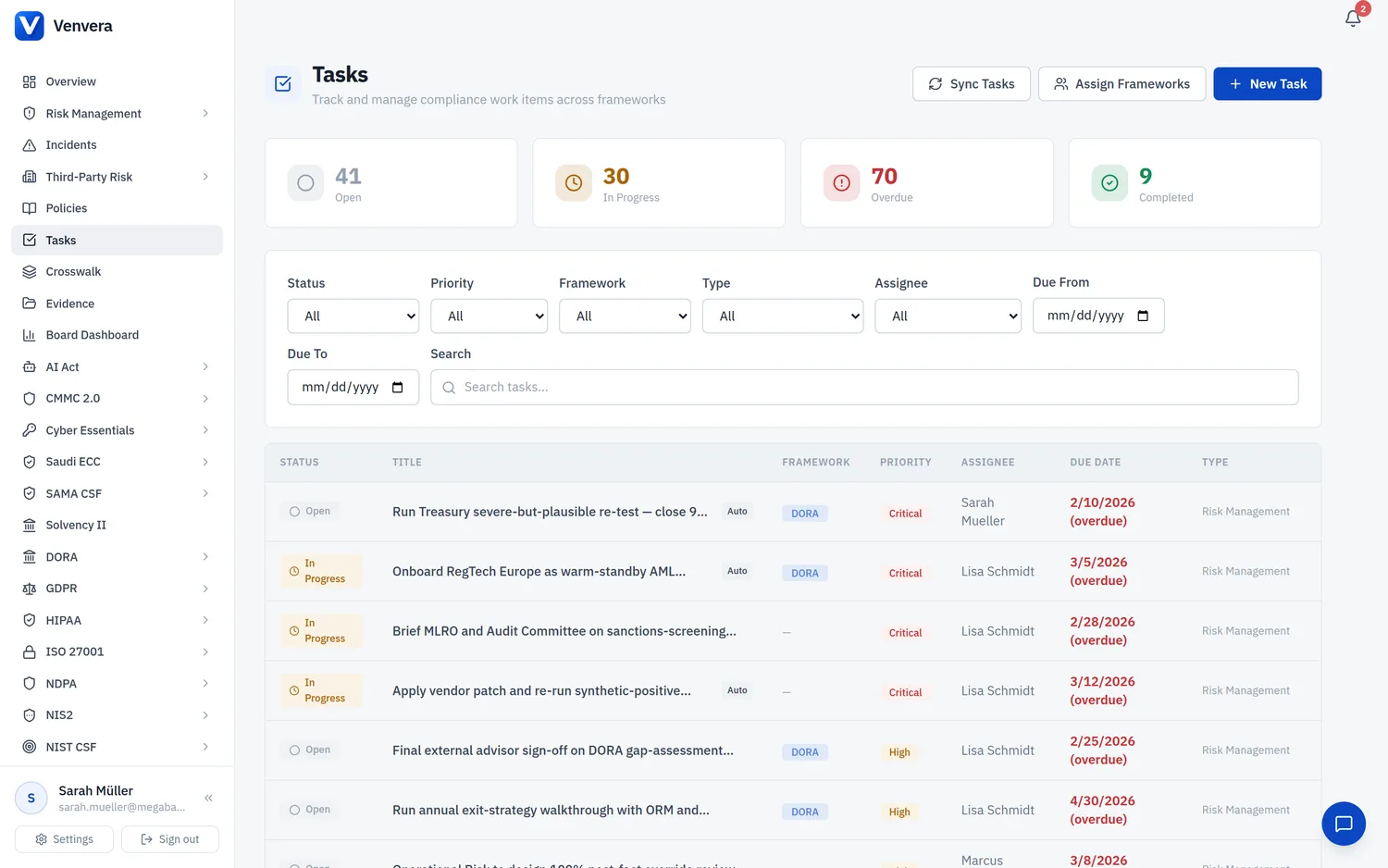
The Tasks list page provides powerful filtering and sorting to help you focus on the work that matters most. This article covers how to use filters, navigate the task list, and manage your workload.
Using Filters
The filter bar sits below the stats cards. Each filter narrows the task list in real time:
| Filter | Options | Notes |
|---|---|---|
| Status | All, Open, In Progress, Completed, Dismissed | Default shows all statuses. |
| Priority | All, Critical, High, Medium, Low | Tasks are always sorted by priority within the list. |
| Framework | DORA, GDPR, ISO 27001, NIS2, AI Act, SOC 2, NIST CSF | Filters to a single framework. Cross-framework tasks appear when no framework filter is set. |
| Type | Gap Assessment, Risk Management, Control Implementation, Incident Response, Policy Review, Audit Finding, Assessment, Remediation, Data Subject Request, Conformity, General | Task type is derived from the source table for auto-generated tasks. |
| Assignee | Dropdown of organisation users | Only visible to Admins. Editors/Viewers always see their own tasks. |
| Due Date Range | From date, To date | Filters tasks by their due date. Useful for finding overdue or upcoming items. |
| Search | Free text | Searches across task titles and descriptions with 300ms debounce. |
Active Filter Tags
When filters are active, coloured tags appear below the filter bar showing each active filter. You can:
- Click the × on any tag to remove that specific filter
- Click Clear all to reset all filters at once
Pagination
The task list shows 25 tasks per page. Use the Previous and Next buttons at the bottom of the page to navigate. The current page number and total count are displayed between the navigation buttons.
Sort Order
Tasks are automatically sorted by:
- Priority (Critical → High → Medium → Low)
- Status (Open → In Progress → Completed/Dismissed)
- Created date (newest first within each group)
Tip - Quick Workflow
Set the status filter to "Open" and sort by priority to see the most urgent items first. Work through them top to bottom, changing each to "In Progress" as you start, then "Completed" when done.
Set the status filter to "Open" and sort by priority to see the most urgent items first. Work through them top to bottom, changing each to "In Progress" as you start, then "Completed" when done.