
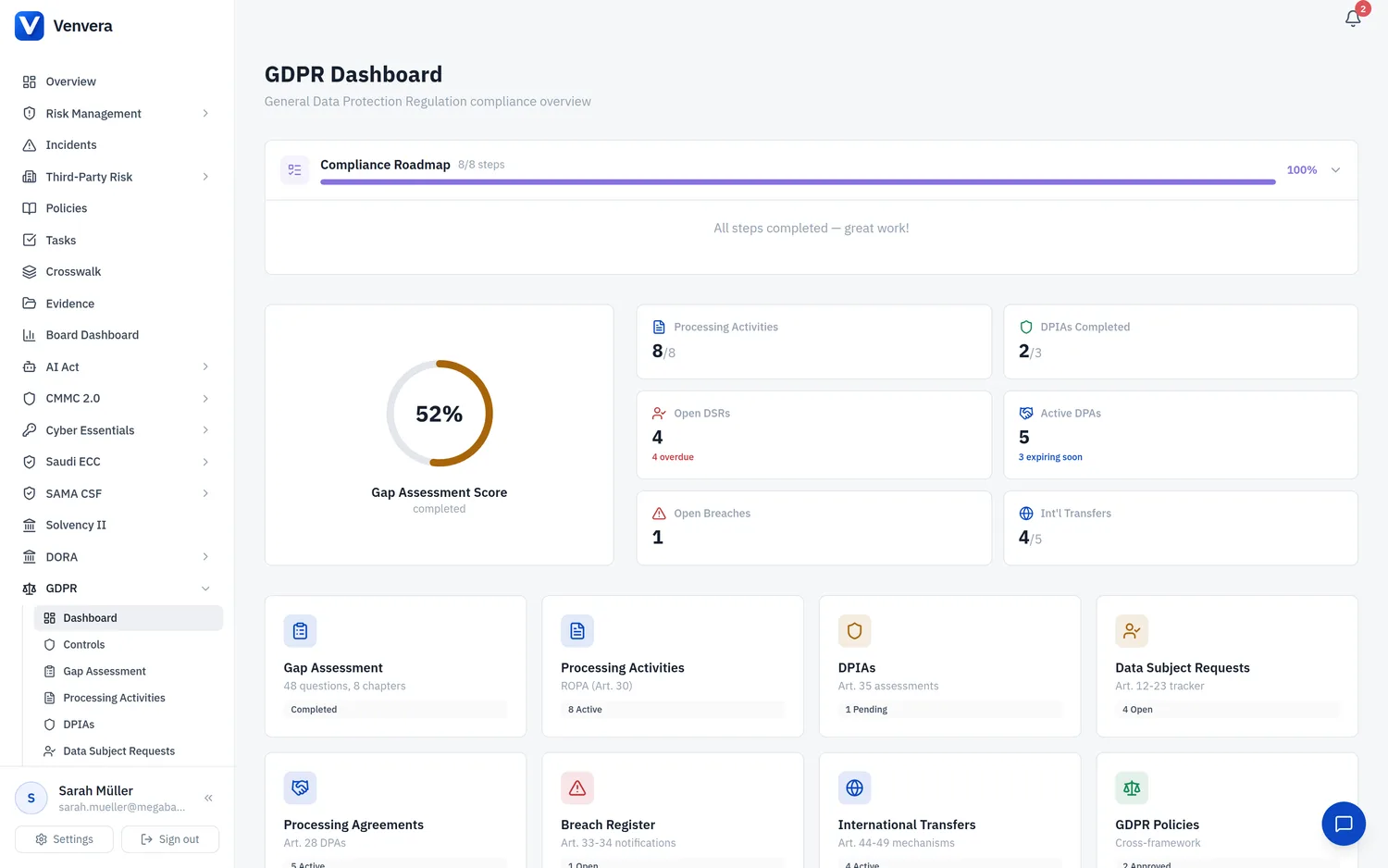
The DPIAs sub-module in Venvera supports the creation, management, and documentation of Data Protection Impact Assessments as required by Article 35 of the GDPR. A DPIA is a process designed to describe the processing, assess its necessity and proportionality, and help manage the risks to the rights and freedoms of natural persons resulting from the processing of personal data. This article explains every field, workflow step, and feature in the DPIA management interface.
Under Art. 35(1), a DPIA is mandatory when a type of processing is likely to result in a high risk to the rights and freedoms of natural persons, particularly when using new technologies. Art. 35(3) provides three specific cases where a DPIA is always required:
- Systematic and extensive profiling with significant effects on individuals (Art. 35(3)(a))
- Large-scale processing of special category data or data relating to criminal convictions (Art. 35(3)(b))
- Systematic monitoring of publicly accessible areas on a large scale (Art. 35(3)(c))
Additionally, your national supervisory authority may publish a list of processing operations that require a DPIA (Art. 35(4)) or that do not require one (Art. 35(5)). Consult these lists when deciding whether a DPIA is needed.
Accessing DPIAs
From the sidebar, expand GDPR and click DPIAs. The main view displays a table listing all DPIA records with their title, linked processing activity, status, and last updated date.
Click Add DPIA in the top-right corner. The creation form opens with all fields ready to be populated. New DPIAs default to "Pending" status.
Work through each section of the DPIA form: describe the processing, assess necessity and proportionality, evaluate risks, document mitigation measures, and record the DPO's opinion. Each section can be saved independently, allowing you to complete the DPIA over multiple sessions.
Once all sections are complete, change the status to "Completed" or "Under Review" depending on whether further discussion is needed. A completed DPIA is retained as a compliance record and can be referenced by the linked processing activity.
DPIA Form Fields
| Field | Type | Status | Description |
|---|---|---|---|
| Title | Text | Required | A descriptive title for the DPIA. This should clearly identify the processing activity or project being assessed. Examples: "DPIA - Employee Health Monitoring Program", "DPIA - Customer Behavioral Analytics Platform", "DPIA - CCTV Deployment in Public Lobby". Use consistent naming conventions for easy identification in the list view. |
| Linked Processing Activity | Dropdown (from ROPA) | Optional | Select the processing activity from your ROPA that this DPIA assesses. Linking the DPIA to a processing activity creates a bidirectional reference - the processing activity detail view will show the linked DPIA, and the DPIA will inherit context from the processing activity (such as data categories, data subjects, and legal basis). If the processing activity has not yet been created in the ROPA, you can leave this blank and link it later. |
| Description | Rich Text Area | Required | A comprehensive description of the processing operations, as required by Art. 35(7)(a). This should include:
|
| Necessity & Proportionality Assessment | Rich Text Area | Required | An assessment of the necessity and proportionality of the processing in relation to the purposes, as required by Art. 35(7)(b). This section should document:
|
| Risk Assessment | Rich Text Area | Required | An assessment of the risks to the rights and freedoms of data subjects, as required by Art. 35(7)(c). This section should systematically identify and evaluate:
|
| Mitigation Measures | Rich Text Area | Required | The measures envisaged to address the risks, including safeguards, security measures, and mechanisms to ensure protection of personal data, as required by Art. 35(7)(d). For each risk identified in the Risk Assessment section, describe:
|
| DPO Opinion | Rich Text Area | Optional | The opinion of the Data Protection Officer on the DPIA, as required by Art. 35(2). The DPO should provide an independent assessment of whether:
|
| Status | Dropdown | Required | The current status of the DPIA:
|
If, after completing the DPIA and applying mitigation measures, the residual risk to data subjects remains high, you must consult with your supervisory authority before proceeding with the processing. Document this requirement in the DPO Opinion field and initiate the consultation process. Venvera does not automate supervisory authority communication, but the DPIA export can be submitted as part of the consultation package.
When DPIAs Are Required
Beyond the three mandatory cases in Art. 35(3), the European Data Protection Board (EDPB) guidelines (WP 248 rev.01) provide nine criteria that indicate high-risk processing. A DPIA is generally required when the processing meets two or more of the following criteria:
- Evaluation or scoring (including profiling and predicting)
- Automated decision-making with legal or similarly significant effect
- Systematic monitoring
- Sensitive data or data of a highly personal nature
- Data processed on a large scale
- Matching or combining datasets
- Data concerning vulnerable data subjects (children, employees, patients)
- Innovative use or applying new technological or organizational solutions
- Processing that prevents data subjects from exercising a right or using a service or contract
Art. 35(11) requires that DPIAs be reviewed when there is a change in the risk represented by the processing. Best practice is to review DPIAs at least annually, or whenever there is a significant change to the processing activity (new data categories, new technology, new recipients, change in scale). Set a calendar reminder or use Venvera's review date tracking to ensure timely reviews.
Exporting DPIAs
Individual DPIAs can be exported as PDF documents that include all fields, the full risk assessment, mitigation measures, and DPO opinion. The export is formatted as a professional document suitable for submission to supervisory authorities as part of an Art. 36 prior consultation, or for internal records and audit evidence. You can also export a summary list of all DPIAs in CSV format for management reporting.