
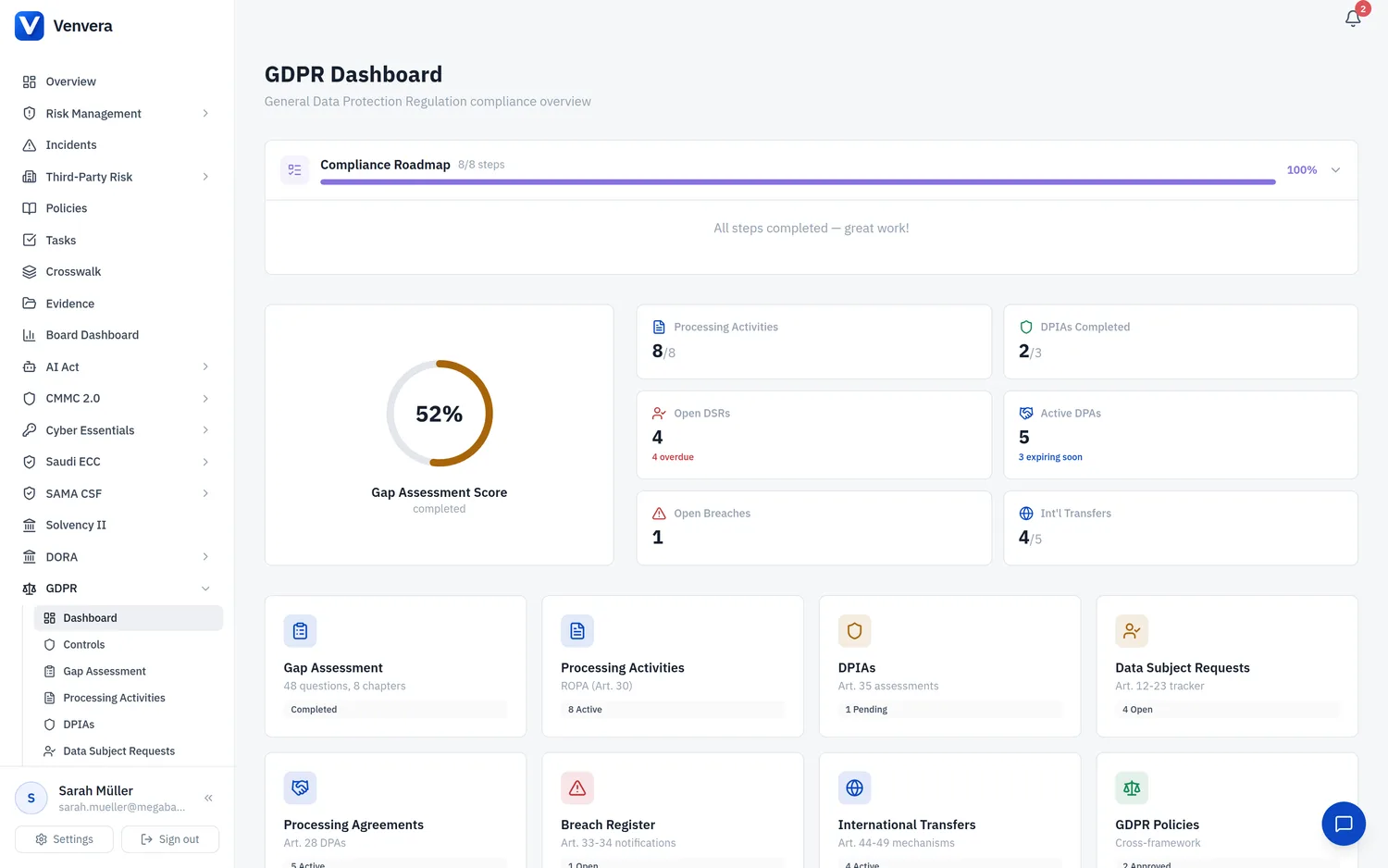
The Data Processing Agreements sub-module in Venvera enables your organization to manage, track, and monitor all contractual arrangements with processors and sub-processors as required by Article 28 of the GDPR. A DPA is a legally binding contract that sets out the subject-matter and duration of the processing, the nature and purpose of the processing, the type of personal data and categories of data subjects, and the obligations and rights of the controller. This article documents every field, mandatory clause requirement, workflow step, and management feature in the DPA register.
Under Art. 28(3), processing by a processor must be governed by a contract or other legal act that is binding on the processor. The contract must set out specific provisions including the subject-matter, duration, nature, and purpose of processing, as well as detailed obligations regarding confidentiality, security, sub-processing, data subject rights assistance, deletion/return of data, and audit cooperation. Failing to have a compliant DPA in place with every processor is a direct violation of the GDPR and can result in administrative fines.
Accessing the DPA Register
From the sidebar, expand GDPR and click Data Processing Agreements. The main view shows a table listing all DPA records with columns for Processor Name, Role, Start Date, End Date, Status (derived from dates), and whether international transfers are involved.
Active DPAs (where the current date falls between start and end dates) are shown with a green status indicator. Expiring Soon DPAs (end date within 90 days) are highlighted in amber. Expired DPAs are shown in grey. You can filter and sort to focus on specific categories.
Click Add DPA in the top-right corner to open the creation form. Populate all required fields and review the mandatory clauses checklist before saving.
Regularly review the DPA register to identify agreements approaching expiration. Initiate renewal discussions with processors well before the end date. Update the record when a new agreement is signed.
DPA Form Fields
| Field | Type | Status | Description |
|---|---|---|---|
| Processor Name | Text | Required | The legal name of the processor (or sub-processor or joint controller) with whom the agreement is in place. Use the entity's full legal name as it appears in the contract (e.g., "Amazon Web Services, Inc." not "AWS"). This helps ensure accurate identification for audit and regulatory purposes. |
| Contact | Text | Optional | The primary contact person or team at the processor organization for data protection matters. Include name, email address, and optionally phone number. This contact is used for communicating data subject requests, breach notifications, audit requests, and contract renewal discussions. If the processor has a dedicated DPO, record their details here. |
| Role | Dropdown | Required | The legal relationship between the parties:
|
| Purpose | Text Area | Required | The specific purpose(s) for which the processor processes personal data on your behalf. This should match the purpose described in the DPA contract and should be consistent with the purposes recorded in your ROPA for the relevant processing activities. Be specific: "Hosting and processing customer CRM data for sales pipeline management" rather than "Data processing services". Art. 28(3) requires the contract to set out the nature and purpose of the processing. |
| Data Categories | Multi-select / Tags | Required | The types of personal data that the processor handles under this agreement. Select all applicable categories (e.g., Name, Email, Phone, Address, Financial Data, Employment Data, Health Data, etc.). This field should reflect what is documented in the DPA contract's schedule or annex describing the processing. If special category data (Art. 9) is included, ensure the DPA contains enhanced security and confidentiality provisions. |
| Sub-Processors Allowed | Toggle (Yes/No) | Required | Indicates whether the processor is authorized to engage sub-processors. Under Art. 28(2), the processor must have either:
|
| International Transfers | Toggle (Yes/No) | Required | Indicates whether the processor transfers personal data outside the EEA as part of the processing. If Yes, the DPA must include or reference appropriate safeguards under Chapter V of the GDPR (adequacy decision, SCCs, BCRs, or approved derogation). You should also create a corresponding record in the International Transfers sub-module for each transfer destination. |
| Start Date | Date Picker | Required | The date on which the DPA takes effect. This is typically the execution date of the contract or the date on which processing commences, whichever is later. The start date is used to calculate the agreement's active status. |
| End Date | Date Picker | Optional | The date on which the DPA expires or is scheduled to terminate. If the agreement has an auto-renewal clause, set this to the next renewal date and update it upon each renewal. If the agreement has no fixed end date (e.g., it continues until terminated by either party), leave this blank - the agreement will show as "Active" indefinitely. DPAs with end dates within 90 days are flagged as "Expiring Soon" on the dashboard and in the list view. |
| Document URL | URL | Optional | A link to the signed DPA document or the location where it is stored. This could be a link to a document management system, a SharePoint URL, a Google Drive link, or any other accessible location. Having the actual contract linked directly from the record ensures quick access during audits, data subject requests, or breach investigations without needing to search through file systems or email archives. |
Mandatory Clauses Checklist
Art. 28(3) specifies a set of provisions that must be included in every controller-to-processor DPA. Venvera provides a built-in checklist that you can use to verify the completeness of each DPA before marking it as active. The checklist items are:
| # | Mandatory Clause | GDPR Reference |
|---|---|---|
| 1 | Processing only on documented instructions - Process data only on the controller's documented instructions, including for transfers. | Art. 28(3)(a) |
| 2 | Confidentiality obligations - Authorized persons must be bound by confidentiality commitments or statutory obligations. | Art. 28(3)(b) |
| 3 | Security measures - Implement all Art. 32 technical and organizational security measures. | Art. 28(3)(c) |
| 4 | Sub-processor conditions - Specify authorization requirements and impose equivalent obligations on sub-processors. | Art. 28(3)(d) |
| 5 | Data subject rights assistance - Assist the controller in responding to data subject rights requests under Chapter III. | Art. 28(3)(e) |
| 6 | Security and breach assistance - Assist with Art. 32-36 obligations (security, breach notification, DPIAs, prior consultation). | Art. 28(3)(f) |
| 7 | Deletion or return of data - Delete or return all data at end of services; destroy copies unless legally required to retain. | Art. 28(3)(g) |
| 8 | Audit and inspection rights - Provide compliance information and allow audits/inspections by the controller or its mandated auditor. | Art. 28(3)(h) |
If any of the 8 mandatory clauses are not addressed in the DPA, the agreement does not fully comply with Art. 28(3) and should be renegotiated with the processor. Venvera displays a warning indicator on DPA records where one or more checklist items are unchecked, helping you prioritize contract remediation efforts.
For comprehensive traceability, ensure that each DPA is associated with the relevant processing activities in your ROPA. While the DPA form does not directly link to processing activities, you can reference the DPA in the processing activity's Recipients or Organizational Measures field, and reference the processing activity in the DPA's Purpose field. This cross-referencing ensures that auditors can trace data flows from the ROPA through to the contractual safeguards.
DPA Lifecycle Management
Before engaging a new processor, conduct due diligence on their data protection capabilities (Art. 28(1) requires using only processors providing "sufficient guarantees"). Create a DPA record, negotiate the contract to include all mandatory clauses, verify the checklist, and set the start date. If the processor will transfer data internationally, create a corresponding International Transfer record.
Periodically review active DPAs to ensure continued compliance. Check for changes in the processor's sub-processor list, security certifications, or data processing practices. Use the audit rights in the DPA to conduct or commission processor audits as needed. Update the DPA record with review notes.
When a DPA is approaching expiration (flagged as "Expiring Soon"), initiate renewal discussions. Review the existing terms against current regulatory guidance and update any provisions as needed. When the renewed agreement is signed, update the End Date and Document URL.
When a processor relationship ends, ensure the processor deletes or returns all personal data as specified in the DPA (mandatory clause #7). Obtain written confirmation of deletion. Update the DPA record's End Date to reflect the actual termination date. The record remains in the register for historical evidence.
Exporting the DPA Register
The complete DPA register can be exported in CSV or PDF format. The CSV export includes all fields and is suitable for integration with other compliance tools or management reporting. The PDF export produces a formatted register document suitable for presenting to supervisory authorities, auditors, or senior management. The export includes the mandatory clauses checklist status for each DPA, making it easy to identify agreements that need attention.