
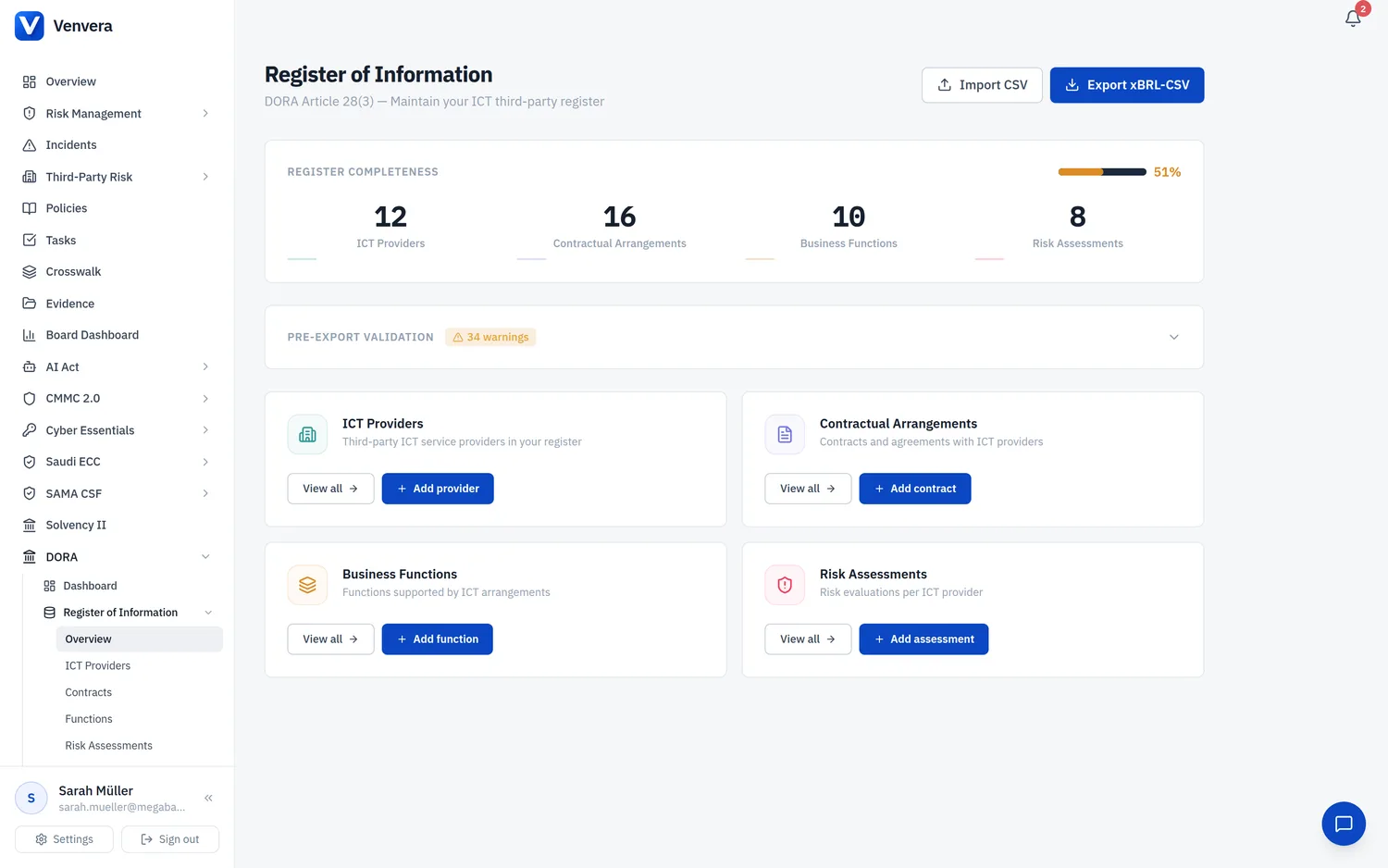
Regulatory Context
DORA Article 3(22) defines a "critical or important function" as any function whose disruption would materially impair the financial performance of a financial entity, the soundness or continuity of its services and activities, or its ongoing compliance with regulatory authorisation conditions and obligations. This definition sits at the heart of the DORA framework because it determines the level of oversight, exit strategy planning, and resilience testing that apply to each ICT third-party arrangement.
Article 28(1)(a) further requires financial entities to identify all functions supported by ICT third-party service providers. Without a complete and accurate register of business functions, you cannot meet this obligation. Every contractual arrangement with an ICT provider must be linked back to the specific business function (or functions) it supports, creating a clear and auditable dependency map.
The ITS 2024/2956 template B_06.01 mandates that you report function identification data to your National Competent Authority (NCA). This template requires the name of each function, its criticality classification, and the contractual arrangements that support it. The Business Functions module in Venvera directly maps to these reporting requirements.
Functions List Page
When you navigate to DORA > Register of Information > Business Functions, you see the functions list page. This page displays all business functions your organisation has defined, laid out in a responsive card grid - one column on small screens, two columns on medium screens, and three columns on large screens.
Each function card displays the following information:
- Function Name - the primary heading on the card, truncated if long.
- Criticality Badge - a coloured pill next to the name: Critical in red, Important in amber. Functions marked "Not Critical" show no badge.
- Business Line - shown in smaller text beneath the name (e.g., "Retail Banking", "Insurance").
- Description - a two-line clamped preview of the function description.
- RTO / RPO - Recovery Time Objective and Recovery Point Objective values, shown as "RTO: 4 hours · RPO: 1 hour" when present.
- Arrangement Count - the number of contractual arrangements linked to this function, displayed in monospace text at the bottom (e.g., "3 arrangements").
Hovering over a card reveals Edit (pencil icon) and Delete (trash icon) buttons in the top-right corner. Clicking anywhere on the card opens the Function Detail Modal.
Empty State
If no functions have been created yet, the page displays a centred empty state with a layers icon, the heading "No functions defined", a description prompting you to define business functions supported by ICT arrangements, and a prominent "Add function" button.
Creating a Business Function
Click the "Add function" button in the top-right corner of the page (or in the empty state). An inline form panel appears at the top of the page. Complete the fields described below, then click "Add Function" to save, or "Cancel" to discard.
Provide the function name and optionally the business line. These identify the function in the card grid and in regulatory exports.
Use the description textarea to explain what this function does, its business context, and why it matters. This feeds into internal documentation and NCA reporting context.
Select one of three radio options. This is the most consequential field because it drives downstream DORA requirements. See the field table below for detailed guidance.
Provide the last assessment date, discontinuation impact rating, and recovery objectives (RTO and RPO).
Click "Add Function" to create the record. The function card appears immediately in the grid.
Field Reference
| Field | Type | Required | Description |
|---|---|---|---|
| Function Name | Text input | Required | A clear, descriptive name for the business function. Examples: "Core Banking", "Payment Processing", "Customer Onboarding", "Trade Settlement". This name appears on cards, in the detail modal, and in the B_06.01 regulatory export. |
| Business Line | Text input | Optional | The organisational business line this function belongs to. Examples: "Retail Banking", "Insurance", "Wealth Management", "Capital Markets". Useful for grouping and filtering functions, and for NCA context. |
| Description | Textarea (multi-line) | Optional | A free-text description of the function, its purpose, and its role in the organisation. Keep it concise but informative enough for regulatory reviewers to understand the function's scope. |
| Criticality Level | Radio button (3 options) | Required |
Critical (red) - Functions per Article 3(22) whose failure would cause material impact on financial performance, service continuity, or regulatory compliance. These trigger the highest level of DORA oversight, mandatory exit strategies, enhanced contractual clauses, and inclusion in resilience testing programmes. Important (amber) - Functions that are significant to business operations but whose disruption would not immediately cause material regulatory or financial harm. Still subject to robust risk management, but with somewhat less intensive requirements than critical functions. Not Critical (green) - Supporting functions that, while useful, are not essential to the entity's core operations. Default selection for new functions. |
| Last Assessment Date | Date picker | Optional | The date this function was last assessed for criticality. DORA expects regular reassessment, especially when business conditions change. Displayed in the detail modal as a formatted date. |
| Discontinuation Impact | Dropdown (4 options) | Optional |
Evaluates what would happen if this function ceased entirely: Not assessed (default) - Impact has not been evaluated yet. Low - Minor operational inconvenience; business can continue with workarounds. Medium - Noticeable disruption; some services degraded but core operations survive. High - Severe disruption; material impact on the entity's ability to operate or meet regulatory obligations. |
| Recovery Time Objective (RTO) | Text input | Optional | How quickly this function must be restored after a disruption. Enter as a human-readable duration: "4 hours", "24 hours", "1 business day". The RTO directly informs resilience testing scenarios and contractual SLA requirements with ICT providers. |
| Recovery Point Objective (RPO) | Text input | Optional | The maximum acceptable data loss measured in time. Examples: "1 hour", "0 data loss", "4 hours". A low RPO (close to zero) means the function requires near-real-time data replication. This informs backup and disaster recovery requirements in ICT provider contracts. |
Function Detail Modal
Click any function card to open its detail modal - a centred overlay with a maximum width, scrollable if content is long. The modal has two modes: View and Edit.
View Mode
The view mode displays:
- Header - Function name with criticality badge, plus the business line underneath. An "Edit" button and a close (X) button are in the top-right corner.
- Description - The full function description text (no line clamp).
- Four Metric Cards - Displayed in a 4-column grid (2 columns on small screens):
- Criticality (shield icon, blue) - Shows "Critical", "Important", or "Not critical".
- Discontinuation (alert triangle icon, amber) - Shows "High", "Medium", "Low", or "Not assessed".
- RTO (clock icon, cyan) - Shows the recovery time objective or "Not set".
- RPO (clock icon, purple) - Shows the recovery point objective or "Not set".
- Last Assessment Date - If set, displayed in a subtle bordered panel (e.g., "Last assessed: 15 Jan 2026").
- Linked Arrangements - A list of contractual arrangements linked to this function. Each entry shows the provider name and contract reference. If no arrangements are linked, a dashed-border empty state reads "No arrangements linked to this function".
- Footer - Shows the creation date on the left, and a red "Delete" button on the right.
Edit Mode
Click the "Edit" button to switch to edit mode. The modal content is replaced by the same form fields used during creation (Function Name, Business Line, Description, Criticality Level, Last Assessment Date, Discontinuation Impact, RTO, RPO), pre-filled with the function's current values. Click "Save Changes" to update or "Cancel" to return to view mode.
Deleting a Function
You can delete a function from two places: the trash icon on the card hover overlay, or the "Delete" button in the detail modal footer. Both trigger a confirmation dialog: "Delete this function?". Deleting a function removes it from the register and any B_06.01 reporting. It does not delete the linked contractual arrangements - those remain intact.
Linking Functions to Contractual Arrangements
The link between business functions and contractual arrangements is the backbone of the DORA Register of Information. The ITS template B_06.01 specifically requires reporting which functions are supported by which contracts, and via which ICT providers.
In Venvera, this linkage is managed from the Contractual Arrangements module. When you create or edit a contractual arrangement, you can select one or more business functions that the arrangement supports. The arrangement count shown on each function card, and the "Linked Arrangements" section in the detail modal, reflect these links.
For complete B_06.01 compliance, ensure that every critical or important function has at least one linked contractual arrangement. If a function shows "0 arrangements", it may indicate either that the function is purely internal (no ICT dependency) or that the linkage has not yet been recorded.