
Access reviews end to end: the entitlement register, a deterministic risk score, and a stamped decision pack that maps onto DORA, ISO 27001 and SOC 2. (51 seconds)
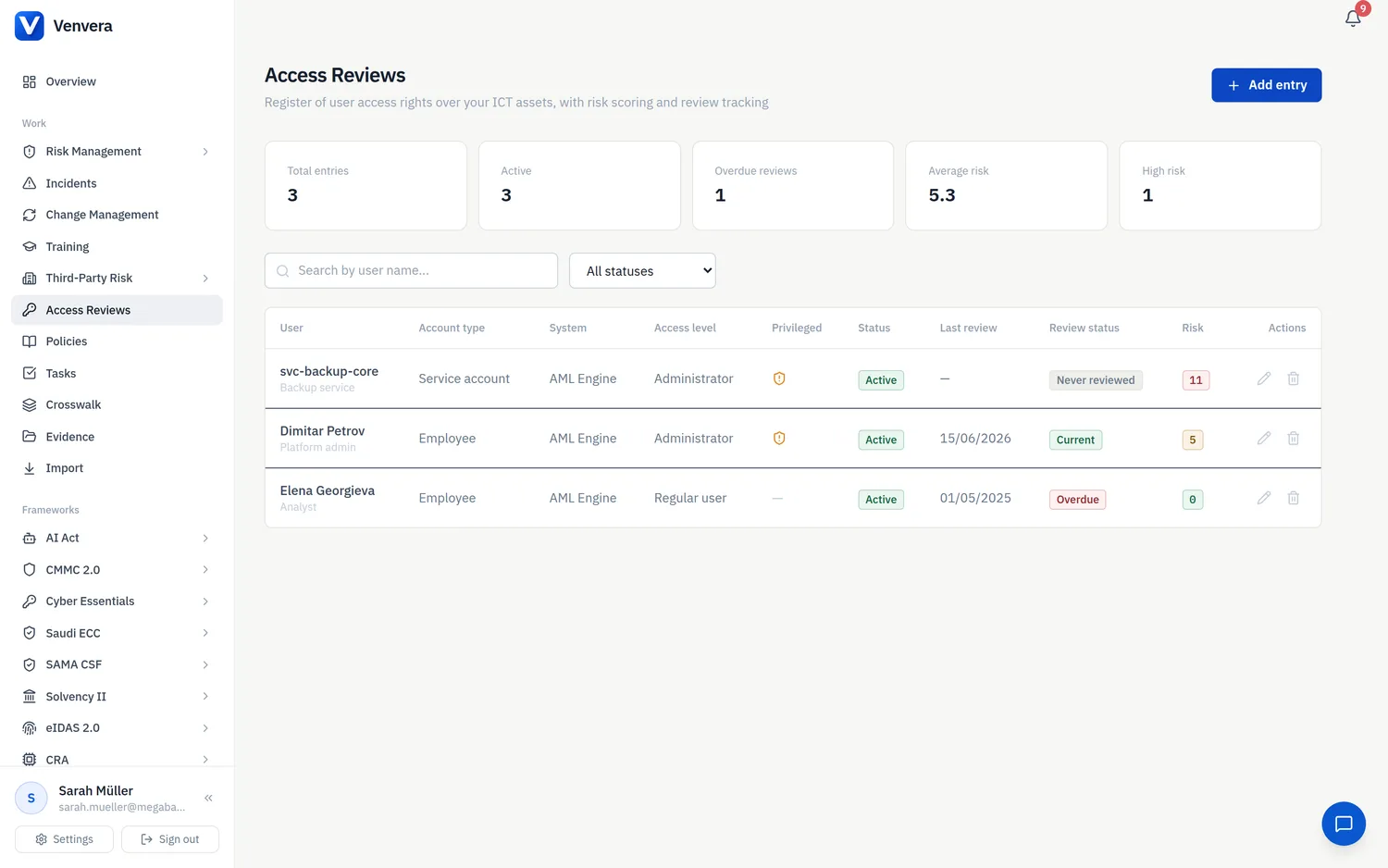
Access Reviews is a register of who holds which access rights over your ICT assets, together with the tools to recertify that access on a schedule. It is built for the periodic access-review obligations that frameworks such as DORA place on ICT risk management, but the register itself is framework-agnostic - the same records serve access-control requirements across every framework you run. You will find it as Access Reviews in the Work section of the sidebar.
The access register
Click Add entry to record a line of access, or the edit icon on any row to update one. Each line captures one person (or service account) and the one system they can reach:
| Field | Description |
|---|---|
| User | The full name of the account holder. |
| Account type | One of Employee, Contractor, ICT Third-Party Provider or Service Account. |
| Unit and Job title | The organisational unit and role the access belongs to. |
| System / ICT asset | The asset the access is over, picked from your ICT Assets register. Selecting an asset prefills its data classification and its critical-function flag; both remain overridable on the line. |
| Critical or important function | Whether this access supports a critical or important function (Yes / No). |
| Data classification | Public, Internal or Confidential. |
| Access level | Read-only, Regular user or Administrator. |
| Privileged access | Whether the account holds privileged rights (Yes / No). |
| Remote access | Whether the access is used remotely (Yes / No). |
| Status | Active, Suspended or Revoked. A revoked line requires a revocation date. |
| Approval date, Request / ticket no, Approved by | The provenance of the grant - when it was approved, the ticket that authorised it, and who signed it off. |
| Last review date | When this line was last recertified. It drives the review status described below. |
The risk score
Every line carries a risk score from 0 to 11, computed automatically from the fields above. The calculation is deterministic and fully explainable: the same inputs always produce the same score, and an auditor can recompute any line by hand from the weights below. The form shows a live preview as you type, broken out as a base score minus the compensating controls, so you can see exactly why a line lands where it does.
| Factor | Contribution to the score |
|---|---|
| Account type | Employee 0, Contractor +1, ICT Third-Party Provider +2, Service Account +2. |
| Critical or important function | +2 when Yes. |
| Data classification | Public 0, Internal +1, Confidential +2. |
| Access level | Read-only 0, Regular user +1, Administrator +2. |
| Privileged access | +2 when Yes. |
| Remote access | +1 when Yes. |
| MFA / 2FA enabled | -2 compensating control. |
| Activity logging | -1 compensating control. |
| Strong password policy | -1 compensating control. |
The base factors add up first, then the compensating controls are subtracted, and the result is floored at 0 - a well-protected account never shows a negative score. A service account with administrator, privileged, confidential access to a critical function, used remotely, scores 11 - the top of the range - until controls such as MFA and activity logging are recorded against it.
Review status
Each line also carries a review status, derived from its last review date on an annual cycle. It tells you at a glance which access is overdue for recertification:
| Status | Meaning |
|---|---|
| Never reviewed | No last review date has been recorded on the line. |
| Current | Reviewed within roughly the last 11 months. |
| Due soon | Approaching the one-year mark - within about 30 days of it. |
| Overdue | More than 12 months since the last review. |
| Not applicable | The line has been revoked, so there is nothing left to review. |
Review cycles
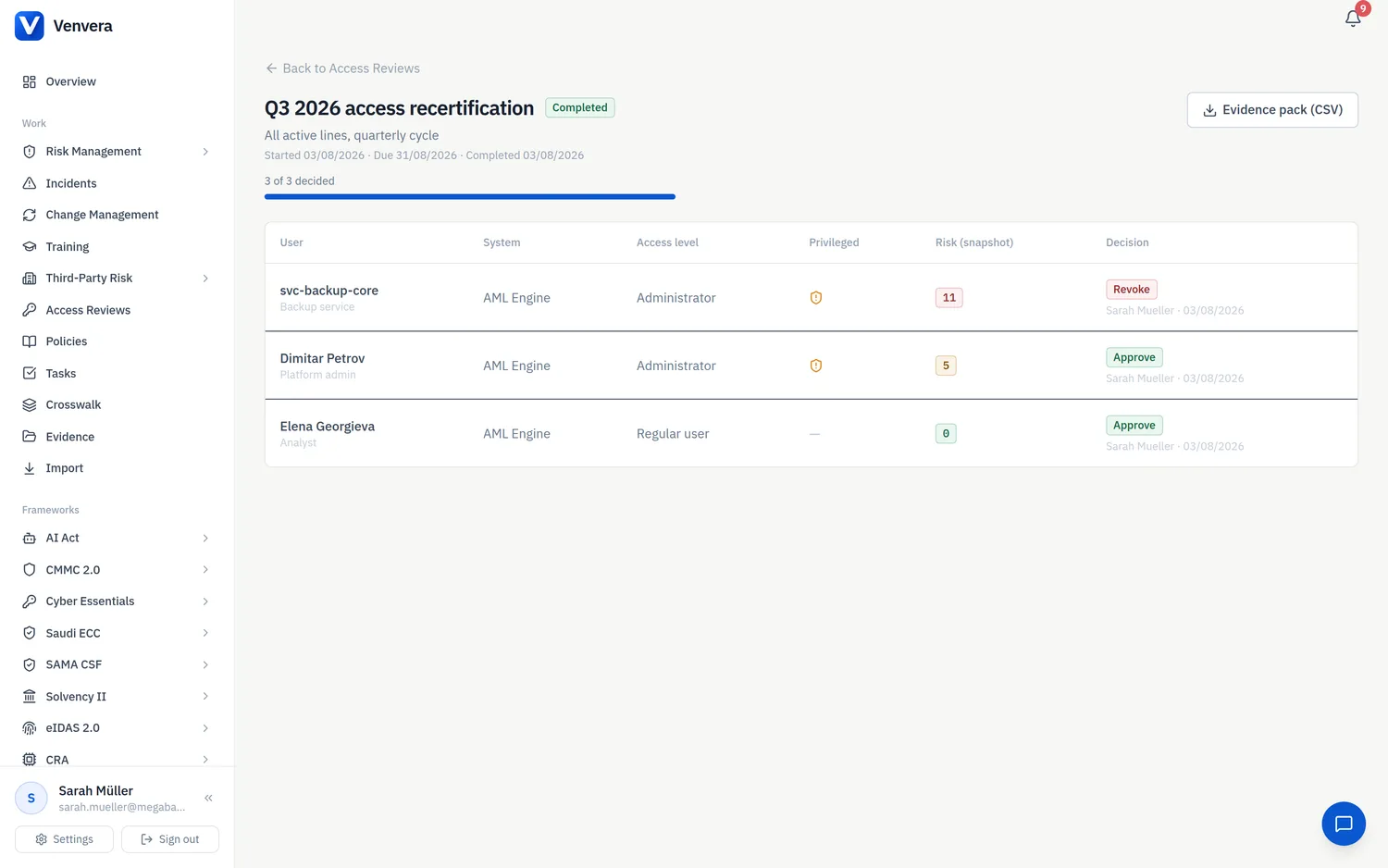
The Review cycles tab is where recertification actually happens. Start a cycle over a scoped set of lines - narrow it by review status, by a minimum risk score, or by asset - and a preview count shows how many lines the cycle will cover before you commit. The lines are snapshotted at the moment the cycle starts, so the review records exactly what existed when it began, even if the register changes underneath it while the cycle is open.
Parallel cycles are allowed. You might run a quarterly cycle scoped to privileged access alongside an annual cycle covering everything else; each cycle carries its own snapshot and its own decisions.
For each line in a cycle a reviewer records one of three decisions - Approve, Revoke or Modify. A justification is required for Revoke and for Modify. When many low-risk lines are clearly fine, a bulk action approves every pending line at or below a chosen risk score under a single justification, so reviewers can spend their attention on the lines that carry real exposure.
Completing a cycle requires every line to have been decided. On completion, Venvera generates an evidence pack: a CSV listing every line with its decision, justification, reviewer, timestamp and the risk score both at snapshot and at decision time. The pack is automatically attached as evidence to the mapped access-control requirements - DORA Article 9, ISO 27001 A.5.18 and SOC 2 CC6.2 - so the recertification you just ran shows up against the controls it satisfies.
Importing from CSV
To load an existing access register, download the CSV template, fill it in, and upload it. The import runs a dry-run preview first, classifying each row as valid, duplicate or error before anything is written, so you can fix the source file and re-upload rather than clean up afterwards. Each row's System / ICT asset is matched to your ICT Assets register by exact name.
The possible-leaver flag
When a deactivated Venvera user account matches the name on a line that is still Active, the line shows a red possible leaver badge. It is a fast way to catch access that should have been revoked when someone left. The match is name-based, so treat the badge as a prompt to check - never as proof that the two are the same person, and never as proof on its own that the access is wrong.