
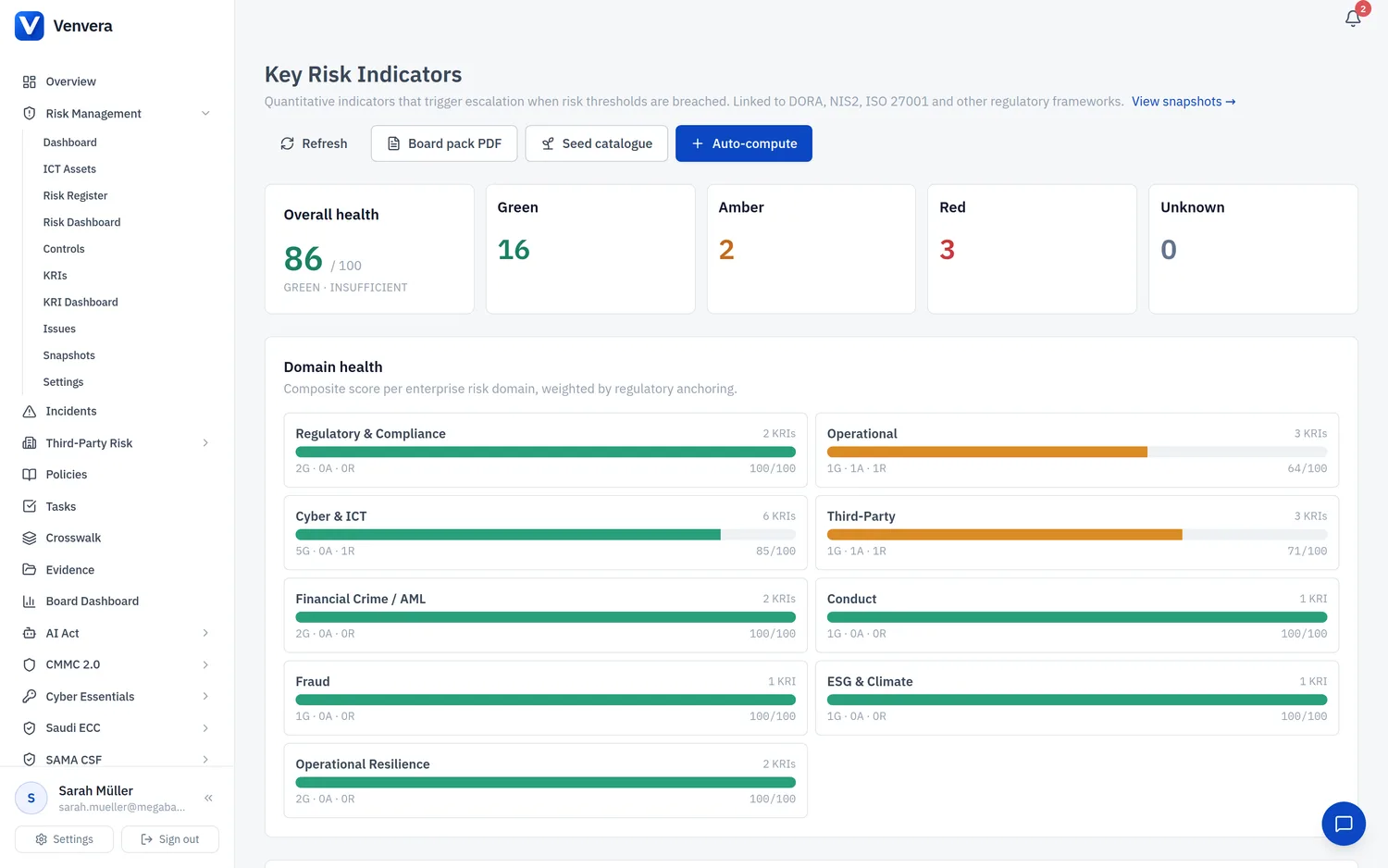
Key Risk Indicators are the quantitative early-warning signals that sit alongside the risk register. While a risk describes a possible scenario, a KRI is the measurement that tells you whether that scenario is becoming more likely or more impactful right now. KRIs answer the regulator's first question: “How do you know your risk environment is still within tolerance?”
Venvera ships ~20 standard KRIs across all ten enterprise risk domains, each one anchored to specific regulatory articles. Common examples:
| KRI | Domain | Anchored to |
|---|---|---|
| Critical risks above tolerance | Operational | DORA Art. 6, Art. 16 · ISO 27001 6.1.2, 6.1.3 · NIS2 Art. 21(2)(a) |
| Open major incidents | Cyber & ICT | DORA Art. 17, Art. 19 · NIS2 Art. 23 · ISO 27001 A.5.24 |
| Incidents with missed regulator deadline (90d) | Cyber & ICT | DORA Art. 19 · NIS2 Art. 23 · GDPR Art. 33 |
| Mean time to remediate critical risks | Cyber & ICT | DORA Art. 6, Art. 9 · ISO 27001 8.1, 10.1 |
| % policies past review date | Regulatory | ISO 27001 5.1, 5.5 · DORA Art. 9 · NIS2 Art. 21(2)(a) |
| Top-5 vendor spend concentration | Third-Party | DORA Art. 31 |
| Vendor spend HHI (Herfindahl-Hirschman Index) | Third-Party | DORA Art. 31 |
| Critical functions on a single provider | Third-Party | DORA Art. 31 |
| % staff completed annual security training | Cyber & ICT | NIS2 Art. 21(2)(g) · ISO 27001 A.6.3 · DORA Art. 13 |
| Open vulnerabilities > 30 days (high / critical) | Cyber & ICT | ISO 27001 A.8.8 · DORA Art. 9 · NIS2 Art. 21(2)(e) |
| AML alerts open > 30 days | Financial Crime | AMLD6 Art. 13, Art. 30 |
| % of resilience tests on schedule | Resilience | DORA Art. 24-27 |
Direction, thresholds and status
Each KRI declares whether lower is better (e.g. # open incidents) or higher is better (e.g. % staff training completion). Two thresholds - green and amber - partition the value range into three zones. The status that gets recorded with every measurement is:
| Status | Lower is better | Higher is better |
|---|---|---|
| Green | value ≤ green threshold | value ≥ green threshold |
| Amber | green threshold < value ≤ amber threshold | amber threshold ≤ value < green threshold |
| Red | value > amber threshold | value < amber threshold |
Auto-computed vs manual KRIs
KRIs with an auto_compute_key derive their value from system data - risks, incidents, controls, vendors, sub-outsourcing chains, integration findings. Click Auto-compute on the KRI page (or wait for the daily worker) and every auto-computable KRI gets a fresh measurement. Manual KRIs (AML alerts, phishing click-rate, RTO/RPO compliance, ESG climate exposure) are recorded by their owner from the KRI detail page.
Regulatory-clock coupling on breach
On each KRI definition you can toggle “Auto-create regulatory incident on breach”. When the KRI crosses into red, Venvera immediately:
- Records a
kri_breach_eventsrow. - If the toggle is on, opens an
incidentsrow with the statutory clock derived from the KRI’s framework anchoring:- DORA - 4-hour initial / 24-hour intermediate / 72-hour final / 1-month root-cause (Art. 19)
- NIS2 - 24-hour early warning / 72-hour notification / 1-month final (Art. 23)
- Fires an outbound webhook (Slack / Teams / custom) to the configured channels.
Composite domain-health scores
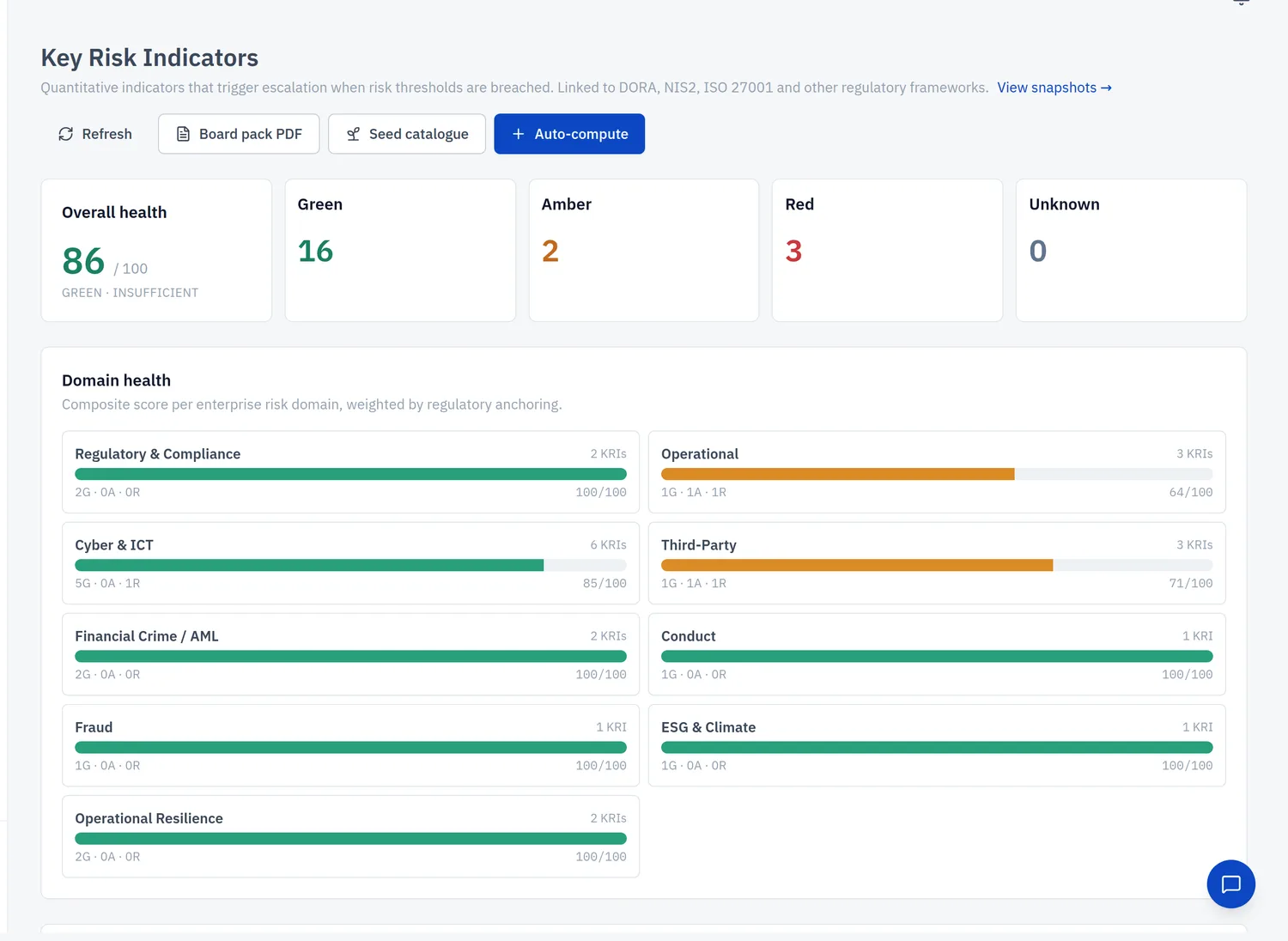
The KRI page header card “Overall health” plus the per-domain composite grid surface a 0-100 score for each of the ten enterprise risk domains. The score is a weighted average of the constituent KRIs, where KRIs anchored to more framework articles weigh more (a KRI tagged to DORA Art. 6 and ISO 27001 6.1.3 and NIS2 Art. 21(2)(a) carries more pull than one with a single anchor). Trajectory (improving / stable / worsening) is derived from the last three snapshots.
Regression alerts
The dashboard banner “KRIs trending toward red” highlights indicators whose trajectory is worsening, including those still inside the green band. Detected patterns:
- Status downgrade in the most recent measurement (green → amber or amber → red) - flagged as rapid worsening.
- Three consecutive measurements each worse than the previous - flagged as worsening.
- Value drifted >25 % closer to the amber threshold over the recent window.
Control-failure to KRI propagation
Each KRI detail page has a Linked controls section. Pick the controls whose effectiveness materially affects the KRI value. When any of those controls fails (implementation_status not_implemented or effectiveness below partially_effective), the KRI is surfaced in the “KRIs at risk from failing controls” banner on the dashboard - even before the next measurement is recorded.
The KRI Dashboard
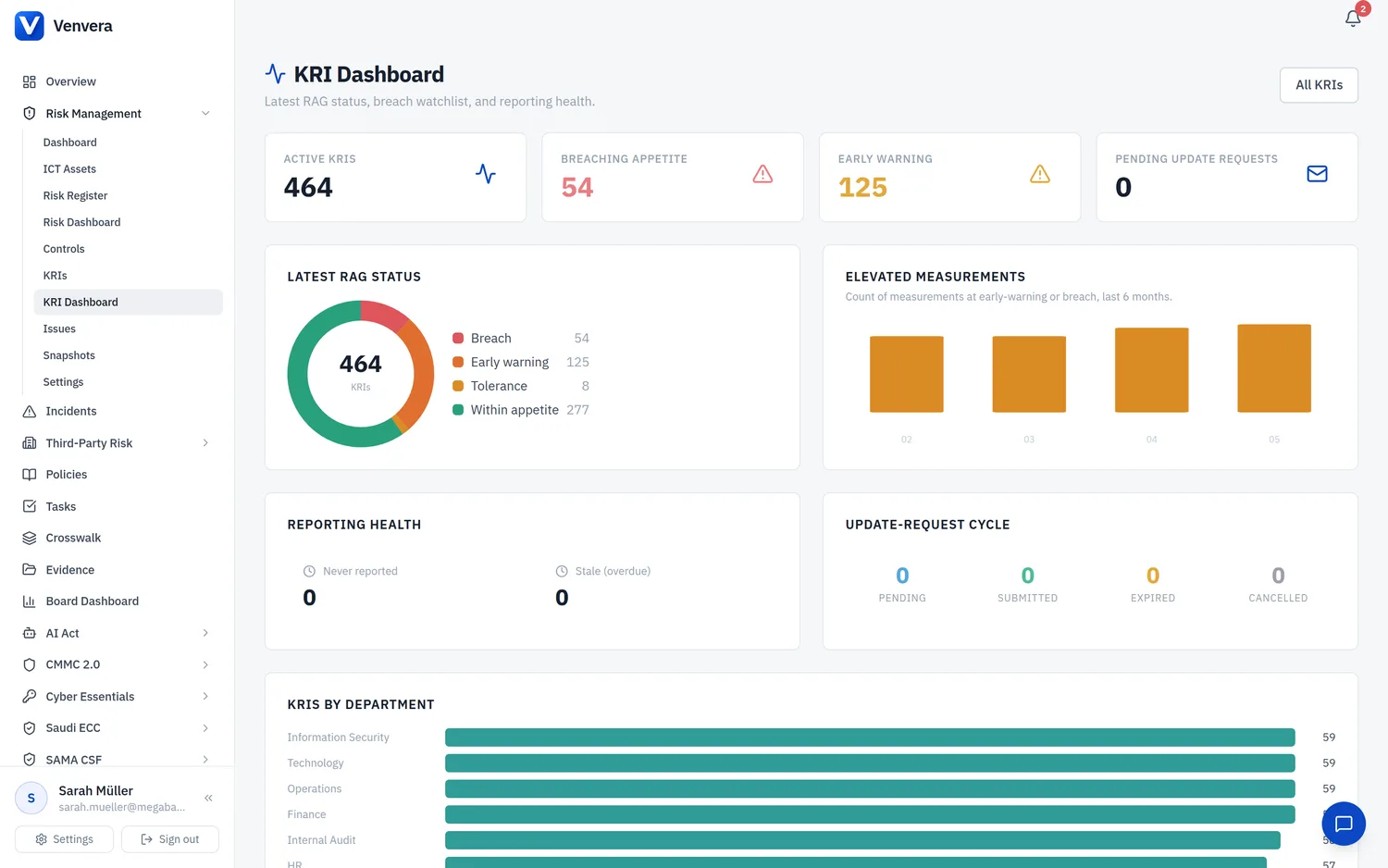
The KRI Dashboard (Risk Management › KRI Dashboard) rolls every indicator up into a single reporting view: how many KRIs are active, how many are breaching appetite or in early warning, the latest RAG-status split, the count of elevated measurements over recent months, reporting health (never reported or overdue), and a breakdown of KRIs by department. It is the fastest way to see whether your risk environment is drifting before the board meeting.
Recording a measurement
- Open the KRI detail page (click any row in the KRI list).
- In the Record measurement card enter the new value (and optionally a note explaining the context).
- Click Record. The status is derived from the value plus thresholds. If the status crosses into red, the breach handler fires.
Auto-compute
Click Auto-compute at the top of the KRI page to refresh every auto-computable KRI from current system data. The action returns a count of measurements recorded plus the number of breaches opened in this batch. A daily background job runs the same code without user action.
Regulator-grounded threshold suggestions
When you define a new KRI and tag it to a framework article, Venvera suggests a sensible default for unit, direction and the green/amber thresholds - anchored to what the regulation actually expects. For example, an article-tagged DORA Art. 31 KRI starts with HHI thresholds at 1500 (green) and 2500 (amber), the bands used in competition-policy precedent. Suggestions cover DORA, NIS2, ISO 27001, GDPR and AMLD6.
Collecting values automatically
KRIs with an owner and a monthly, quarterly or annual frequency can be put on Autopilot: once a reporting period closes without a value, Venvera e-mails the owner a single-use link, records the submitted value against the thresholds, and reminds once if nothing arrives. See KRI Autopilot.