
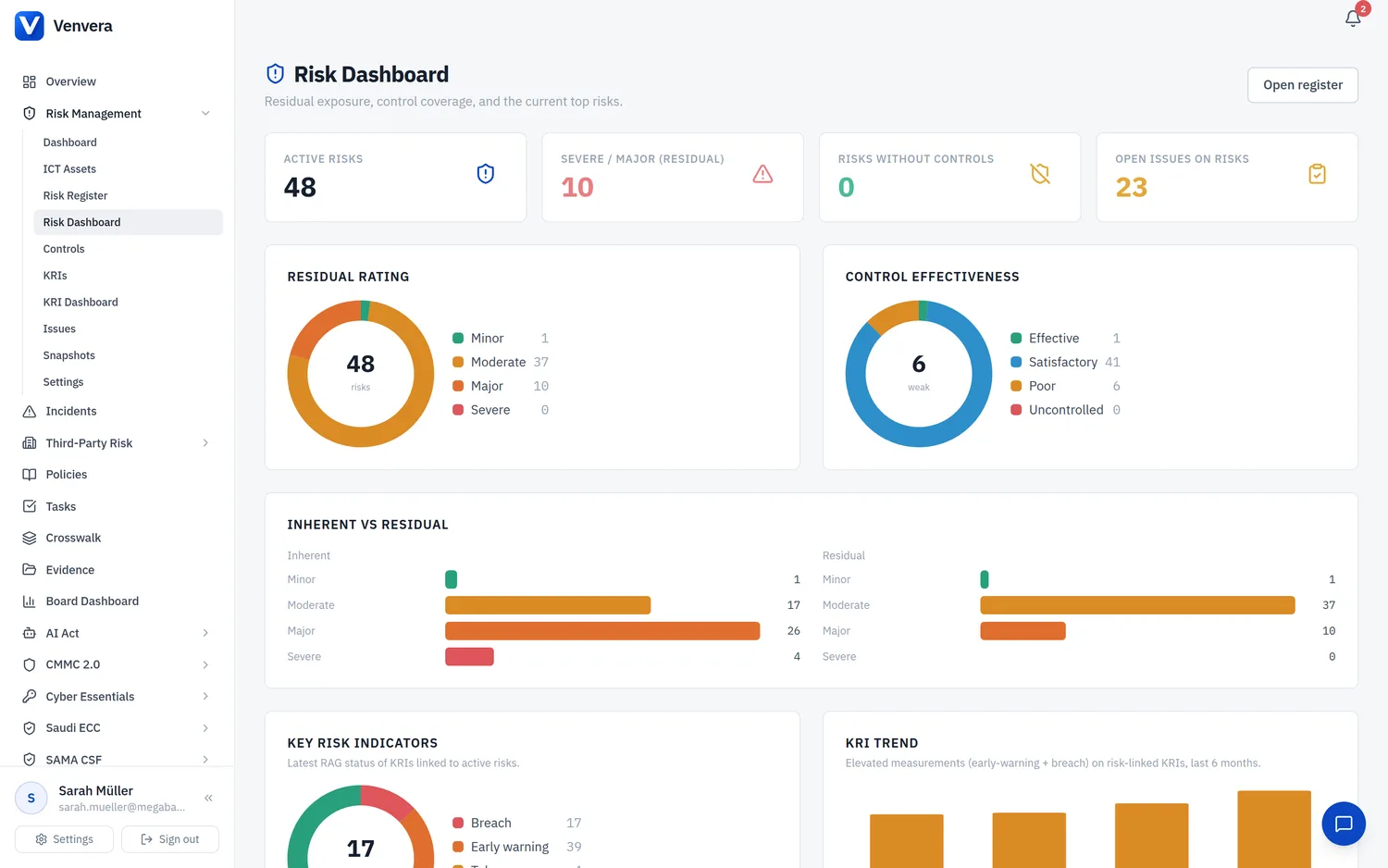
Key Risk Indicators are quantitative measures that monitor risk levels over time and trigger escalation when thresholds are breached. Venvera ties KRIs to regulatory frameworks (DORA Art. 6/9, NIS2 Art. 21, ISO 27001 6.1.3, AMLD6, etc.), auto-computes most of them from system data, and lets you link each KRI to the specific controls and risks it watches.
Where to find KRIs
Open Risk Management → Key Risk Indicators from the sidebar. The main page shows every KRI in your catalogue, the latest measured value, the green / amber / red status, the recent trend, and the regulatory anchoring of each indicator.
Seeding the catalogue
On a new tenant the KRI list is empty. Click "Seed catalogue" to instantiate the standard 21-KRI starter set covering cyber, third-party, financial crime, conduct, resilience, and regulatory categories. Seeding now also writes an initial measurement for every KRI, so you go from empty to a coloured dashboard in one click. Re-running the seed never overwrites existing measurements.
Defining a KRI
Click into any KRI to edit:
- Unit - percent, count, days, score, ratio, or currency.
- Direction - lower is better (e.g. mean time to remediate) or higher is better (e.g. control coverage %).
- Target / Green / Amber thresholds - the bands that drive the traffic-light status of each measurement.
- Frequency - how often you expect a measurement (daily, weekly, monthly, quarterly, annual).
- Owner - the role (e.g. CISO, CRO, DPO) and the specific user accountable for the KRI.
- Calculation method - a free-text description shown in audit packs.
- Auto-compute key - if populated, Venvera will compute the value from system data when you click Auto-compute.
Recording measurements
The KRI detail page has a "Record measurement" form. Enter a value, optionally a note, and Venvera will write a new measurement with status derived from the thresholds. The list page also has an "Auto-compute" button that runs every KRI with an auto_compute_key against current system data (open incidents, overdue policies, supplier coverage, etc.) and writes fresh measurements.
Requesting measurements from owners
Many KRIs are owned by someone outside the compliance team: a security lead, a vendor manager, a finance controller. Rather than chase them by email, you can ask Venvera to collect the value for you.
On a KRI's detail page, use Request update to email the owner a single-use magic link for a chosen reporting period. They do not need a Venvera login to respond.
From the KRI list, Bulk request sends update links for a whole set of KRIs. Choose the default cadence per KRI frequency, or set an explicit period, and decide how many days the links stay valid (14 by default).
The link opens a simple page showing the KRI and the period. The owner enters the value, adds any comments, and submits. Venvera records the measurement and applies the threshold bands, flagging a breach exactly as it would for a value entered internally.
Each link is single-use and expires after the chosen window. A KRI can also have subscribers who are kept informed, and the KRI Dashboard includes an update-request cycle panel so you can see at a glance which requests are still outstanding.
Linked controls
On the detail page, the "Linked controls" card lets you attach one or more controls from your ICT controls library. When a linked control is marked not-implemented or its effectiveness drops below "partially effective", Venvera flags the KRI as at-risk on the dashboard - even before the next measurement comes in. This gives you a control-failure-to-KRI propagation path so a single failing control can drive a KRI into amber without waiting for a fresh data point.
Linked risks
The "Linked risks" card lets you attach one or more entries from your enterprise risk register. Each linked risk shows the risk owner, current residual / inherent risk level, category, and status. Use this to make explicit which KRIs are monitoring which strategic risks - useful for board reporting and for showing auditors how your risk register and KRI dashboard are connected.
Breach incidents
If you tick "Auto-create regulatory incident on breach", any KRI that crosses into red will instantiate a fresh incident with the relevant statutory clock (DORA Art. 19 4h / 24h / 72h, or NIS2 Art. 23 24h / 72h / 1 month) derived from the KRI's framework anchoring. You can pick the classification (major / non-major) per KRI.
Board pack
The "Board pack" button on the KRI list exports a single PDF summarising the current state of every KRI, the trend over the last few measurements, the regulatory anchoring, and any unacknowledged breaches. Use it for monthly risk committees or to attach to board minutes.