
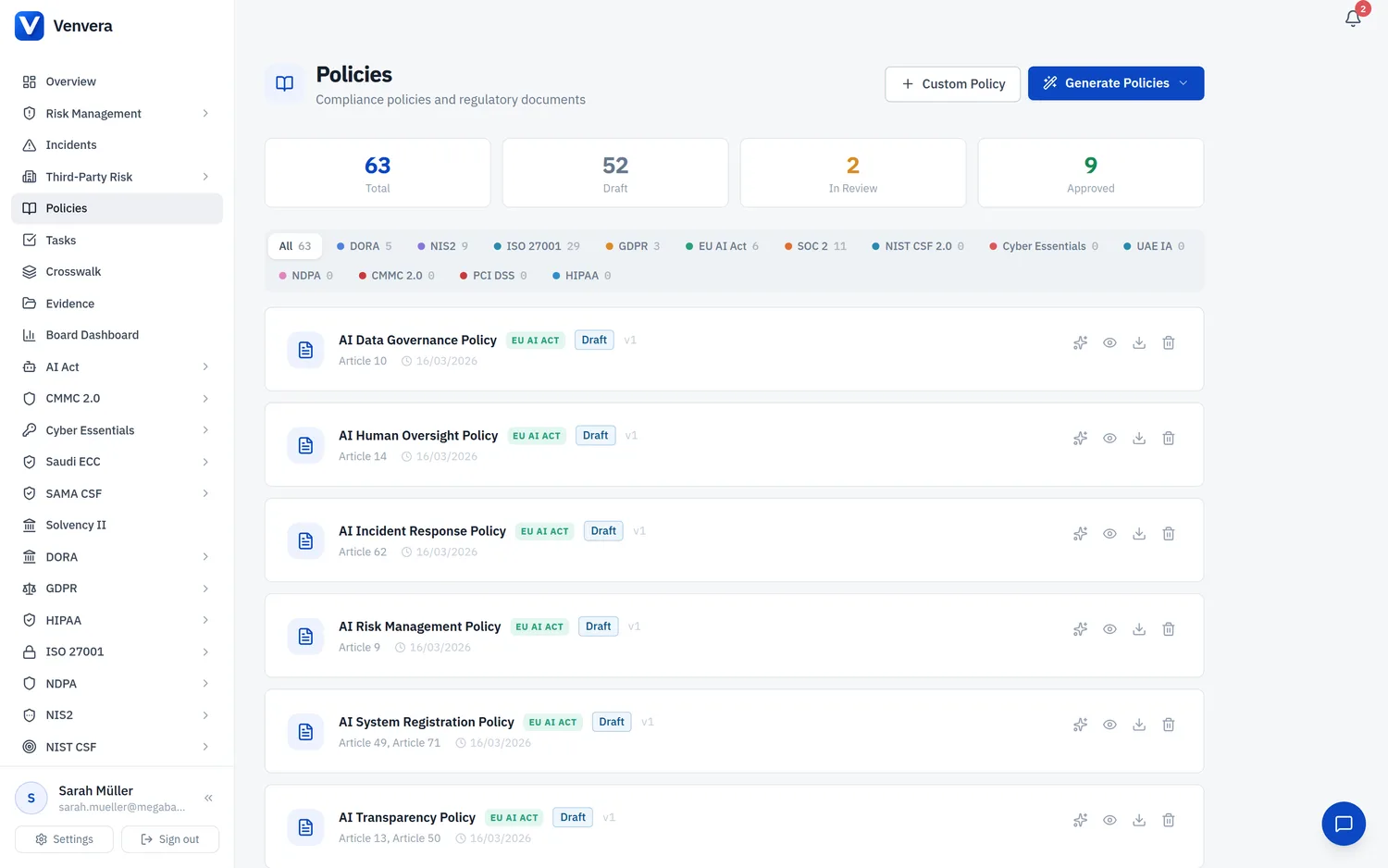
Venvera's AI Policy Review analyses your compliance policies against your organisation's tracked controls, identifies gaps, and can automatically generate an improved version. It works with any AI provider (Claude or ChatGPT) configured in your organisation settings.
Why AI Policy Review Matters
Compliance policies are only effective when they address every control required by the relevant framework. Manually cross-referencing a 20-page policy against 50+ controls is time-consuming and error-prone. AI Policy Review automates this process, giving you instant visibility into:
- Which controls your policy already covers - with references to the specific policy sections
- Which controls are missing - with explanations of why they're needed and suggested policy language
- Which sections need strengthening - where existing language is vague or incomplete
- Overall coverage score - a percentage estimate of how well the policy addresses applicable controls
How It Works
Go to Policies in the sidebar. You'll see all your organisation's policies listed with framework tags and status badges.
Click the sparkles icon (✨) on any policy row. This simultaneously expands the policy details and starts the AI analysis. Alternatively, expand a policy first, then click the purple "Review with AI" button in the action bar.
After a few seconds, the AI review panel appears with a purple border. It shows:
- Coverage bar - colour-coded percentage (green ≥80%, amber ≥50%, red <50%)
- Summary - a plain-language overview of the policy's compliance posture
- Missing Controls - each control reference, why it should be covered, and expandable suggested language
- Controls Covered - green badges showing which controls the policy addresses
- Suggested Improvements - specific sections that need more detail or stronger language
If missing controls or improvements were identified, click "Implement Suggestions in New Draft". The AI generates a complete improved version of the policy incorporating all suggestions, saves it as a new draft, and automatically downloads it as a DOCX file.
What the AI Analyses
The review pulls two data sources:
| Data Source | What It Provides |
|---|---|
| Policy Content | The full text of the policy document - every section, heading, and paragraph is analysed |
| Framework Controls | All controls tracked for the policy's framework in the Controls page, including their implementation status and implementation details |
Review Results Explained
Coverage Score
The percentage represents the AI's estimate of how many applicable framework controls are substantively addressed by the policy. A policy might mention a topic without providing sufficient detail - the AI distinguishes between surface-level mentions and substantive coverage.
Missing Controls
Each missing control shows:
- Control reference - the standard identifier (e.g., R8.4 for PCI DSS MFA)
- Control title - what the control requires
- Reason - why this control should be in the policy
- Suggested language - click to expand specific policy text the AI recommends adding
Suggested Improvements
These are sections that exist in the policy but are too vague or missing critical details. For example, a policy might mention "access controls are in place" without specifying multi-factor authentication, role-based access, or review frequency.
Implementing Suggestions
When you click "Implement Suggestions in New Draft":
- The AI receives the original policy plus all review findings
- It produces a complete improved version - preserving the original structure while adding missing sections and strengthening weak ones
- The improved policy is saved as a new draft: "[Original Title] (AI-Improved Draft)"
- A DOCX file automatically downloads for offline review
- The policy list refreshes to show the new draft
Supported Frameworks
AI Policy Review works with all 13 frameworks supported by Venvera:
| Framework | Controls in Catalogue | Key Areas Checked |
|---|---|---|
| DORA | 20 | ICT risk management, incident reporting, resilience testing, TPRM |
| GDPR | 20 | Data protection principles, rights, DPIAs, breach notification |
| ISO 27001 | 93 | Annex A controls across 4 themes |
| NIS2 | 15 | Risk management measures, incident handling, supply chain |
| EU AI Act | 12 | Conformity requirements, risk management, transparency |
| SOC 2 | 51 | Trust Services Criteria (CC, A, C, PI, P) |
| NIST CSF 2.0 | 74 | Govern, Identify, Protect, Detect, Respond, Recover |
| PCI DSS v4.0 | 63 | 12 requirements for cardholder data protection |
| HIPAA | 26 | Administrative, physical, technical safeguards for ePHI |
| CMMC 2.0 | 36 | Level 2 practices across 14 domains |
| Cyber Essentials | 24 | 5 technical control areas |
| UAE IA | 42 | Management (M1-M6) and Technical (T1-T9) controls |
| NDPA | 24 | Data protection obligations under Nigerian law |
Rate Limits
| Action | Limit |
|---|---|
| AI Policy Review | 3 reviews per minute per user |
| Implement Suggestions | 3 drafts per minute per user |
Frequently Asked Questions
Can I review a custom policy (not generated from templates)?
Yes. AI review works on any policy that has content - whether auto-generated, AI-drafted, or manually created.
What happens if I haven't set up controls for a framework?
The AI will still review the policy based on general regulatory best practice for that framework. However, for the most specific and actionable results, populate your controls first.
Does the AI review replace a human compliance review?
No. AI review is a tool to help compliance officers identify gaps faster. All AI-generated suggestions should be reviewed by a qualified professional before the policy is approved.
Can I run multiple reviews on the same policy?
Yes. Click "Review with AI" again to get a fresh analysis. This is useful after you've made manual edits to the policy.