
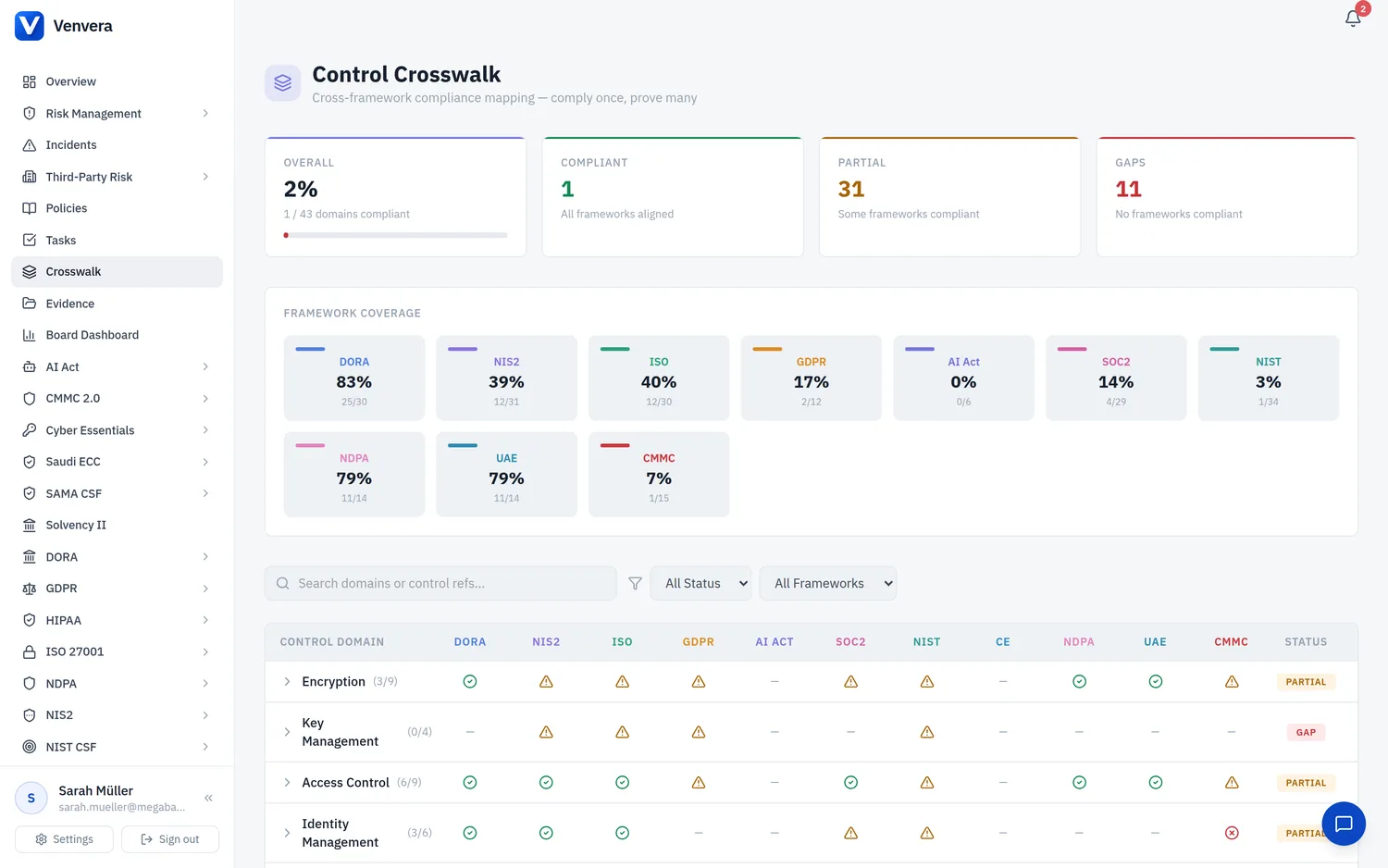
Every framework in Venvera now includes a dedicated Controls page where you can view, track, and document the implementation status of each control required by the regulatory standard. Controls auto-populate from Venvera's built-in catalogue of 500+ controls across 13 frameworks.
Accessing Framework Controls
Navigate to any framework in the sidebar and click Controls. The page automatically seeds all standard controls for that framework on your first visit - no manual setup required.
Controls Page Layout
Stats Bar
Five summary cards at the top show:
- Total Controls - number of controls tracked
- Implemented - controls fully implemented
- Partial - controls partially implemented
- Not Implemented - controls not yet addressed
- Coverage % - percentage of controls that are implemented or not applicable
Category Groups
Controls are organised into categories specific to each framework (e.g., "Network Security", "Access Control" for PCI DSS, or "Govern", "Identify", "Protect" for NIST CSF). Each category shows a progress bar and count of implemented controls.
Filters
| Filter | Description |
|---|---|
| Search | Search by control reference, title, description, or implementation details |
| Category | Filter to a specific category |
| Status | Filter by implementation status (Not Implemented, Partial, Implemented, N/A) |
The Implementation Details Field
The most important field on every control is "Implementation Details - How is this control implemented?". This is where you document exactly how your organisation meets each requirement. For example:
This field connects directly to the Policy Management module - when the AI Policy Review analyses a policy, it reads your implementation details to check whether the policy accurately reflects how controls are actually implemented.
Control Fields
| Field | Description |
|---|---|
| Control Ref | Standard reference (e.g., R8.4, A.8.24, GV.RM-01) |
| Title | Short description of what the control requires |
| Description | Full regulatory text or explanation |
| Category | Framework-specific grouping |
| Implementation Status | Not Implemented, Partial, Implemented, or Not Applicable |
| Implementation Details | How this control is implemented in your organisation |
| Implementation Date | When the control was put in place |
| Evidence URL | Link to evidence document or screenshot |
| Evidence Description | Description of the evidence (e.g., "Firewall ruleset export") |
| Owner | Team member responsible for this control |
| Review Date | Next scheduled review date |
| Notes | Additional notes |
Framework-Specific Fields
Each framework adds tailored metadata fields. For example:
- PCI DSS: Requirement number (1-12), SAQ applicability, compensating controls
- HIPAA: HIPAA rule, safeguard type, implementation specification (Required/Addressable)
- NIST CSF: CSF function, current tier, target tier
- DORA: ICT risk category, regulatory reference
- CMMC: Domain, NIST SP 800-171 reference, POA&M required
Crosswalk Integration
Control references in the Control Crosswalk are clickable links. Clicking a control reference in the crosswalk takes you directly to that framework's Controls page with the matching control highlighted and expanded for editing. This makes it easy to update implementation details when reviewing cross-framework compliance.
Auto-Seeding from Catalogue
Venvera maintains a catalogue of 500+ standard controls across all supported frameworks. When you first visit a framework's Controls page, all applicable controls are automatically created for your organisation. You can also click "Generate Standard Controls" to re-seed at any time (existing controls are not overwritten).
Adding Custom Controls
Click "Add Control" to create a custom control beyond the standard catalogue. This is useful for organisation-specific requirements or internal policies that go beyond the framework minimum.