
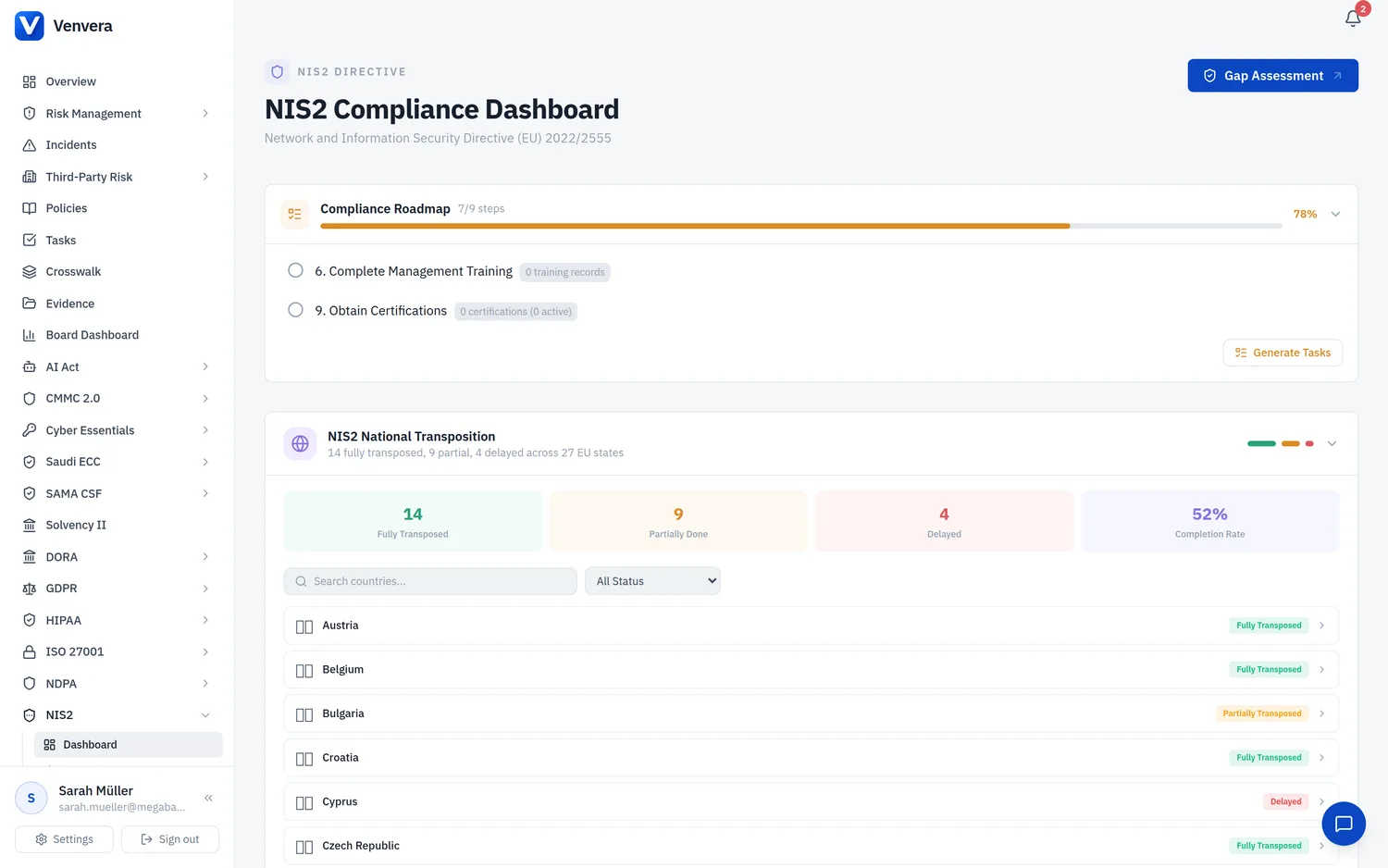
The NIS2 module in Venvera gives your organisation a centralised compliance hub for the Network and Information Security Directive (EU) 2022/2555, commonly known as NIS2. This article explains the regulatory background, walks through every element of the NIS2 compliance dashboard, and describes how to begin your compliance journey.
Regulatory Background
What is NIS2?
NIS2 (Directive (EU) 2022/2555) is the European Union's updated directive on the security of network and information systems. It replaces and repeals the original NIS Directive (2016/1148), commonly called NIS1. Published in the Official Journal on 27 December 2022, it entered into force on 16 January 2023, with Member States required to transpose it into national law by 17 October 2024.
NIS2 significantly expands scope, harmonises requirements, and strengthens enforcement. Its core goals are to raise the overall level of cybersecurity across the EU, reduce inconsistencies between Member States, and improve cross-border cooperation for incident response.
Scope Expansion - Essential vs Important Entities
NIS2 introduces a two-tier classification of in-scope entities:
| Tier | Sectors | Maximum Penalty |
|---|---|---|
| Essential Entities | Energy, Transport, Banking, Financial Market Infrastructure, Health, Drinking Water, Waste Water, Digital Infrastructure, ICT Service Management (B2B), Public Administration, Space | Up to EUR 10 000 000 or 2% of total worldwide annual turnover (whichever is higher) |
| Important Entities | Postal & Courier Services, Waste Management, Chemicals, Food Production & Distribution, Manufacturing, Digital Providers (online marketplaces, search engines, social networking), Research Organisations | Up to EUR 7 000 000 or 1.4% of total worldwide annual turnover (whichever is higher) |
Transposition into National Law
Each EU Member State transposes NIS2 into its own legal framework. This means penalty ranges, supervisory authority designations, and sector-specific requirements may vary. Venvera tracks the Directive-level obligations and allows you to tag risks and controls with specific articles, so your compliance posture is auditable regardless of jurisdiction.
Art. 21(2) - The Ten Cybersecurity Measures
Article 21(2) lists ten minimum cybersecurity risk-management measures that essential and important entities must adopt. Venvera maps every NIS2 gap assessment question and pillar score to one of these ten measures:
| Art. 21(2) | Measure | Description |
|---|---|---|
| (a) | Risk Analysis & Information Security Policies | Policies on risk analysis and information system security, including risk assessments and risk treatment plans. |
| (b) | Incident Handling | Processes for detecting, reporting, and responding to cybersecurity incidents, including Art. 23 notification obligations. |
| (c) | Business Continuity & Crisis Management | Business continuity planning, disaster recovery, backup management, and crisis management processes. |
| (d) | Supply Chain Security | Security measures for the ICT supply chain, including direct supplier and service provider relationships and their risk profiles. |
| (e) | Network & Information Systems Security | Security in the acquisition, development, and maintenance of network and information systems, including vulnerability handling and disclosure. |
| (f) | Effectiveness Assessment | Policies and procedures to assess the effectiveness of cybersecurity risk-management measures, including testing, auditing, and KPI tracking. |
| (g) | Cyber Hygiene & Training | Basic cyber hygiene practices and cybersecurity training programmes for all staff, including awareness campaigns. |
| (h) | Cryptography | Policies and procedures for the use of cryptography and, where appropriate, encryption to protect data in transit and at rest. |
| (i) | HR Security & Access Control | Human resources security, access control policies, and asset management to ensure appropriate handling of personnel and identities. |
| (j) | Multi-Factor Authentication & Secure Communications | Use of multi-factor authentication or continuous authentication solutions, secured voice/video/text communications, and secured emergency communication systems. |
NIS2 Compliance Dashboard
Navigate to NIS2 in the sidebar to reach the NIS2 Compliance Dashboard. The dashboard provides a real-time, aggregate view of your NIS2 posture drawn from data across all Venvera modules.
Compliance Score Ring
The large circular gauge on the left displays your NIS2 Compliance Score (0-100). The score is computed from five weighted pillars:
| Pillar | Max Points | What it Measures |
|---|---|---|
| Risk Coverage | 30 | NIS2-tagged risks with treatment plans and controls assigned |
| Gap Assessment | 30 | Completion and score of your NIS2 Art. 21(2) gap assessment |
| Incident Readiness | 15 | NIS2 Art. 23 notification compliance and incident handling maturity |
| Supply Chain | 15 | TPRM campaigns completed and provider assessments finalised |
| Policy Coverage | 10 | NIS2-framework policies approved and in place |
The ring colour changes based on score: green (≥70), amber (40-69), or red (<40). Each pillar is shown as a horizontal progress bar beneath the ring.
Stat Cards
Four clickable stat cards sit above the compliance ring:
- NIS2-Tagged Risks - total risks tagged with NIS2 articles, with the number currently open. Clicking navigates to the Risk Management register.
- NIS2 Controls - count of controls mapped to NIS2 articles. Clicking navigates to the Controls list.
- Open Incidents - currently open incidents, with a sub-count of total incidents. Clicking navigates to the Incidents register.
- Suppliers Assessed - count of providers who have completed TPRM questionnaires, plus the number of campaigns. Clicking navigates to the TPRM module.
Art. 23 Incident Notification Status
When your organisation has incidents flagged as NIS2 Significant, a dedicated notification status panel appears. It tracks the three mandatory reporting windows under Art. 23:
| Notification | Deadline | Tracked Statuses |
|---|---|---|
| Early Warning | Within 24 hours of becoming aware | Sent count, overdue count, pending count |
| Incident Notification | Within 72 hours | Sent count, overdue count, pending count |
| Final Report | Within 1 month | Sent count, overdue count, pending count |
If any notification is overdue, the panel border turns red and the overdue count is highlighted. Click "View all incidents" to jump directly to the incident management module.
10-Pillar Assessment Breakdown
When you have completed a NIS2 gap assessment, the dashboard displays a detailed breakdown of all ten Art. 21(2) pillars. Each pillar is shown as a named progress bar with a percentage score (calculated from the gap assessment question scores, each rated 0-4). The overall assessment percentage badge appears in the top-right corner.
The ten pillars displayed are:
- Risk Analysis & Security (purple)
- Incident Handling (amber)
- Business Continuity (green)
- Supply Chain Security (red)
- Systems Security (teal)
- Effectiveness Assessment (violet)
- Cyber Hygiene & Training (cyan)
- Cryptography (pink)
- HR Security & Access (orange)
- Multi-Factor Auth (blue)
If no gap assessment has been completed yet, a prompt card appears inviting you to start one.
NIS2-Specific Modules
Four module cards provide quick navigation to NIS2-specific features:
- Incident Readiness - Art. 23 notification tracking and readiness assessment
- Mgmt Training - Art. 20 management body training records
- Certifications - Art. 24 EU cybersecurity certification scheme tracking
- Effectiveness KPIs - Art. 21(2)(f) performance metrics and measurement
Shared Modules
Four additional module cards link to shared Venvera modules that contribute directly to your NIS2 compliance score:
- Risk Management - tag risks and controls with NIS2 articles
- Incidents - incident handling and NIS2 notification reporting
- Third-Party Risk - supply chain assessment campaigns
- Policies - policy library and lifecycle management
Getting Started with NIS2 Compliance
The NIS2 module is available in the sidebar under the "NIS2" section. Navigate there to access the dashboard. If your organisation uses DORA and NIS2 simultaneously, both modules operate independently but share underlying data (risks, incidents, policies, TPRM campaigns).
Click the Gap Assessment button in the dashboard header or navigate to NIS2 → Gap Assessment. Create a new assessment to evaluate your organisation against all ten Art. 21(2) measures. Each question is scored from 0 (not implemented) to 4 (optimised). The results feed directly into your dashboard compliance score and pillar breakdown.
Determine whether your entity falls under the Essential or Important tier based on your sector and size. This affects penalty exposure and the level of supervisory oversight. Tag your risks and controls with the relevant NIS2 articles (Art. 21(2)(a) through (j)) in the Risk Management module.
Work through each of the ten measures. Use the gap assessment results to identify weak areas. For each low-scoring pillar, create targeted risks and assign controls. Use the NIS2 Incident Readiness module to verify your Art. 23 notification processes are in place. Record management training under Art. 20 and track certifications under Art. 24.
Use the gap assessment remediation view to create a prioritised action plan. Focus on pillars with the lowest scores first. Set target dates, assign owners, and track progress. Re-run the gap assessment periodically (quarterly recommended) to measure improvement and demonstrate due diligence to supervisory authorities.