
AI Act Incident Reporting - Art. 62 Compliance
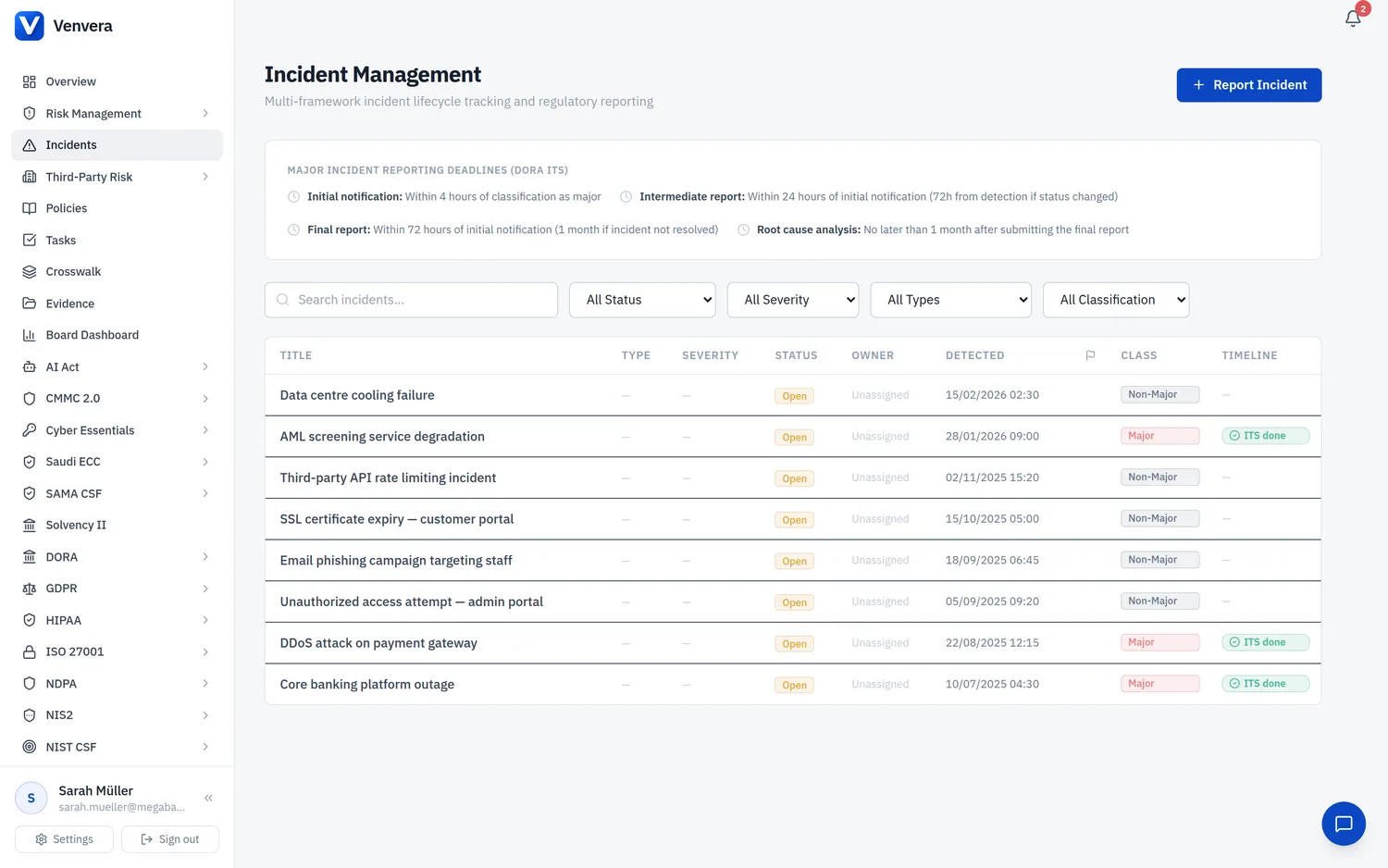
Article 62 of the EU AI Act establishes mandatory reporting obligations for serious incidents involving high-risk AI systems. Providers and deployers must report serious incidents to the market surveillance authorities of the Member States where the incident occurred. The AI Act Incidents module in Venvera provides a comprehensive incident management system specifically designed for AI-related incidents, including detection, investigation, containment, authority notification tracking, and resolution. This module also integrates with Venvera's existing ICT incident management capabilities for organisations that need cross-referencing between AI incidents and broader ICT incidents. This article documents every feature in detail.
What Constitutes a Serious Incident
Under Art. 3(49) of the EU AI Act, a "serious incident" means any incident or malfunctioning of a high-risk AI system which directly or indirectly leads to:
- (a) the death of a person or serious damage to a person's health;
- (b) a serious and irreversible disruption of the management or operation of critical infrastructure;
- (c) the infringement of obligations under Union law intended to protect fundamental rights;
- (d) serious damage to property or the environment.
Understanding this definition is critical because serious incidents trigger mandatory reporting within strict timelines. Not every AI-related issue qualifies as a serious incident - the module supports tracking all incident types, from minor performance degradations to critical serious incidents, with appropriate workflows for each.
List View
Navigate to EU AI Act → Incidents from the sidebar. The list view shows all AI-related incidents in a paginated table, sorted by detection date (most recent first). Each row displays the incident title, linked AI system, type badge, severity badge, status badge, and detection date. Serious incidents are highlighted with a red left border for immediate visibility.
Use the search bar to filter incidents by title, description keywords, or linked AI system name. The search supports case-insensitive partial matching and is useful for finding incidents related to specific systems, types, or timeframes when combined with other filters.
Use the Status dropdown to filter by incident workflow status:
- Detected - Identified and recorded; investigation not yet begun. 72-hour clock starts for serious incidents.
- Investigating - Active investigation: root cause analysis, impact scoping, evidence gathering.
- Contained - Containment measures in place (system suspended, reverted, or under enhanced oversight).
- Reported - Formally reported to market surveillance authority per Art. 62.
- Resolved - Root cause addressed, corrective actions verified, system restored or retired.
- Closed - Fully resolved, lessons learned documented, record finalised.
Use the Severity dropdown to filter by incident severity level:
- Low - Minor issue with negligible impact. No harm to persons or fundamental rights. Examples: minor output anomaly, brief performance dip within tolerance.
- Medium - Moderate issue with limited impact. Noticeable degradation but no serious harm. Examples: elevated false positive rate, temporary bias in a non-critical feature.
- High - Significant issue with substantial impact. Potential harm if not addressed promptly. Examples: systematic bias affecting a protected group, significant accuracy degradation, data breach.
- Critical - Meets or potentially meets "serious incident" definition (Art. 3(49)). Triggers mandatory 72-hour notification under Art. 62. Requires immediate containment and senior management escalation.
Creating a New Incident
Click + Report Incident to open the creation form. Complete all required fields:
| Field | Type | Required | Description |
|---|---|---|---|
| Title | Text input | Required | A concise, descriptive title (e.g., "Credit Scoring - Bias Against Age 18-25", "Fraud Detection - Failed to Flag Known Patterns"). Maximum 300 characters. Use consistent naming conventions for trend analysis. |
| Description | Textarea | Optional | A detailed description of the incident including: what was observed, when detected, who detected it, immediate impact, affected users/decisions, and preliminary root cause analysis. Up to 10,000 characters. Update as investigation progresses with findings, containment measures, and resolution details. |
| AI System | Dropdown | Optional | Select the AI system involved in the incident. The dropdown lists all AI systems in your inventory. Linking the incident to an AI system enables cross-referencing on the system's detail page and supports trend analysis (e.g., identifying systems with recurring incidents). If the incident involves multiple AI systems, create the incident record for the primary system and reference the others in the description field. |
| Link to ICT Incident | Dropdown | Optional | Cross-reference an existing ICT incident from Venvera's DORA module if the AI incident is related to a broader ICT event (infrastructure failure, cybersecurity breach, etc.). Creates a bidirectional link for integrated incident management across EU AI Act and DORA frameworks. |
| Type | Dropdown | Optional | Categorise the incident by type:
|
| Severity | Dropdown | Optional | Select the severity level: Low, Medium, High, or Critical. Refer to the severity definitions in the filter section above. Severity can and should be updated as more information becomes available during the investigation - initial severity assessments are often revised upward or downward as the true scope and impact of the incident is determined. Changes to severity are tracked in the audit log. |
| Detected At | Date/time picker | Optional | The date and time when the incident was first detected or observed. This timestamp is critical for serious incidents because the 72-hour notification deadline under Art. 62 is calculated from the moment the provider becomes aware of the incident. If the exact detection time is unknown, use the best estimate and note the uncertainty in the description field. The system displays a countdown timer on serious incident detail pages calculated from this timestamp. |
Serious Incident - 72-Hour Notification Deadline
When an incident is marked as a serious incident (either by selecting the "Serious Incident" type or by checking the serious incident checkbox), the system activates comprehensive authority notification tracking:
Authority Notification Tracking
| Element | Description |
|---|---|
| Countdown Timer | Visual timer colour-coded: green (>24h), amber (12-24h), red (<12h or overdue). Displayed on detail page and list view. |
| Notification Status | Lifecycle tracking: Not Submitted, Submitted (Preliminary), Submitted (Full Report), Acknowledged. Each change logged with timestamp. |
| Authority Details | Authority name, contact details, notification date/time, reference number, and follow-up communications. |
| Notification Evidence | Evidence provided: incident description, AI system ID, impact assessment, affected persons count, containment measures, planned corrective actions. |
Incident Detail Page
Key sections: Header (title, badges, AI system link, timestamp), Timeline (chronological audit log of all status changes and actions), Authority Notification (countdown timer, status, details - serious incidents only), ICT Cross-Reference (linked DORA incident card), and Resolution Details (root cause analysis, corrective/preventive actions, lessons learned).
Incident Workflow Best Practices
Follow this workflow for effective incident management: (1) Detect & Record immediately - do not wait for investigation before creating the record; (2) Triage severity and assess whether it qualifies as a serious incident - when in doubt, err on the side of caution; (3) Contain the issue (suspend system, revert version, activate manual fallbacks); (4) Investigate root cause using logs, monitoring data, and recent changes; (5) Resolve & Close with corrective actions, verification, and lessons learned.