
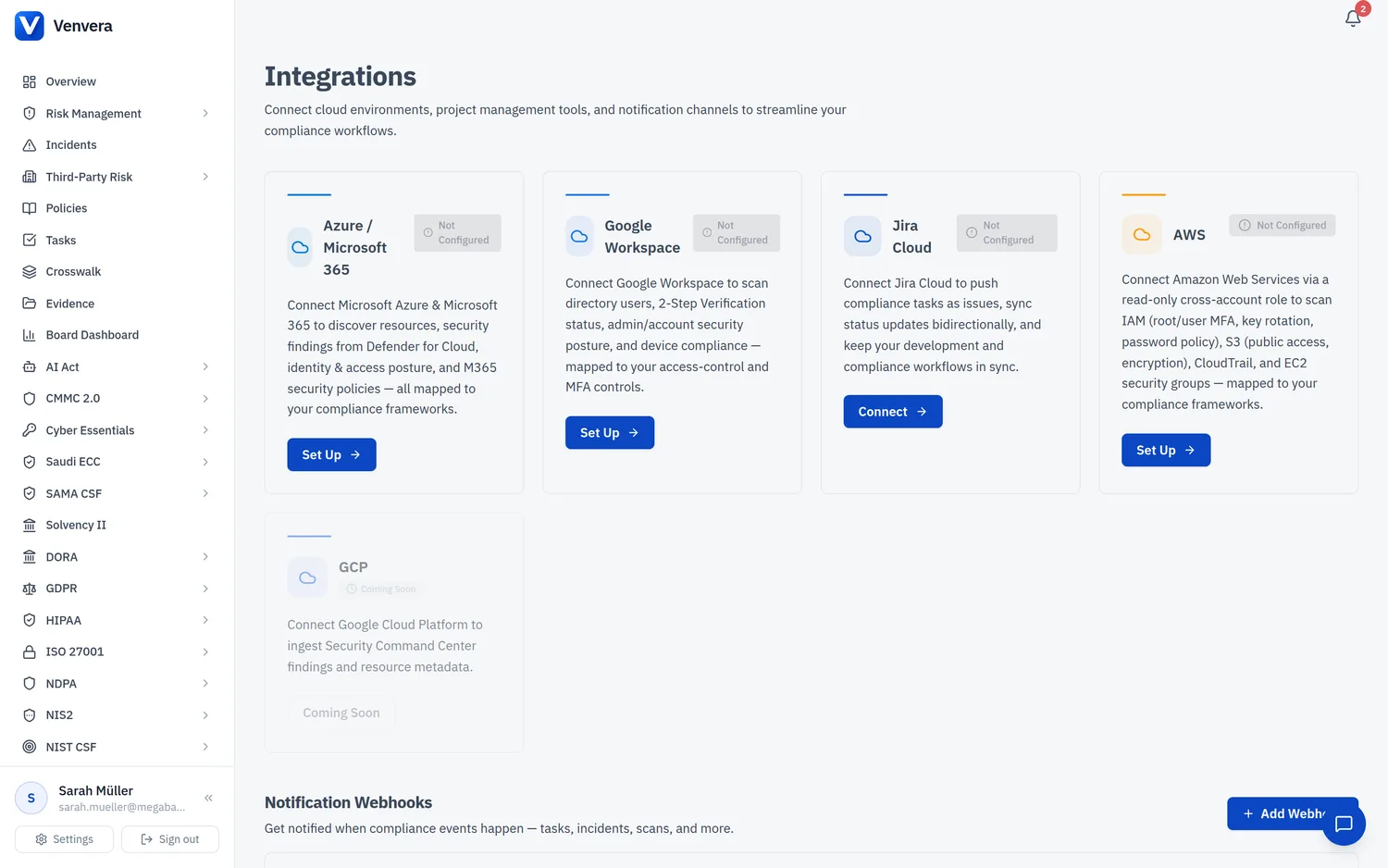
Integrations connect Venvera to the systems you already run so that compliance evidence is collected automatically instead of by hand. Open the hub from Integrations in the sidebar. There are three kinds of integration: read-only posture scanners (Microsoft 365 / Azure, AWS, and Google Workspace), a task sync (Jira Cloud), and the endpoint agent for Windows devices.
integrations.view permission to look, and integrations.edit to connect or run a scan. Every integration API is permission-checked on the server, so a Viewer cannot start a scan.How cloud findings become evidence
When a posture scanner runs, each finding is bucketed by category (identity and access, data protection, encryption, logging and monitoring, network security, or configuration) and automatically mapped to the matching controls in your active frameworks. Cloud findings map to controls in ISO 27001, SOC 2, NIST CSF, DORA, NIS2, and GDPR. A finding with informational severity means the check passed, so it is treated as evidence of compliance and can be attached directly to the mapped control.
The five providers
| Provider | Type | Connection method | What it checks |
|---|---|---|---|
| Microsoft 365 / Azure | Posture scan | OAuth admin consent | Identity and MFA, Conditional Access, app hygiene, M365 configuration, email security, plus Defender for Cloud recommendations and Azure resource discovery |
| AWS | Posture scan | Cross-account IAM role | IAM, S3, CloudTrail, and EC2 security posture |
| Google Workspace | Posture scan | Service account with domain-wide delegation | 2-Step Verification, super-admin count, dormant accounts, device compliance |
| Jira Cloud | Task sync | OAuth (3-legged) | Not a scanner: pushes Venvera tasks into Jira as issues |
| Endpoint Agent | Endpoint agent | Enrolment key on a Windows device | BitLocker, Defender, firewall, Windows Update, TPM, and account hygiene |